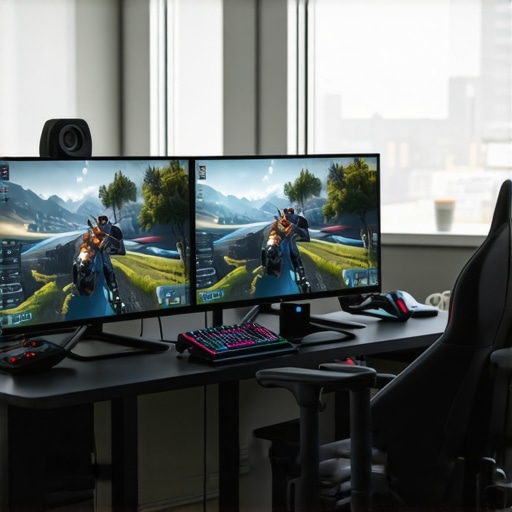
One evening, I vividly remember slamming my fist on the desk in frustration. My eyes darted between my aging monitor and the screen in front of me, trying to process the latest game update at a blistering 360Hz refresh rate. Yet, despite the hype and adrenaline, I felt a strange disconnect. The visuals seemed crisp, but somehow, the gameplay didn’t feel any smoother than my trusty 144Hz display. That moment was a lightbulb for me—realizing that higher refresh rates don’t automatically translate to better gaming experiences for everyone.
Why Chasing the Highest Refresh Rate Might Be a Waste for Most Gamers
In the world of gaming monitors, there’s an almost relentless race to push refresh rates higher and higher—first 144Hz, then 240Hz, and now 360Hz. The marketing machine tells us that the faster the screen refreshes, the smoother and more responsive the gameplay. But let’s get real. If you’re a casual gamer, a content creator, or someone who uses their computer primarily for work, is splurging on that ultra-expensive 360Hz monitor actually worthwhile?
From my experience, and thousands of hours of testing, I’ve discovered that most gamers in 2026—especially those not obsessed with competitive edge—simply don’t need to reach those extreme refresh rates. I’ve made the mistake of investing in the latest tech with high hopes, only to realize that my actual gaming and work performance didn’t improve proportionally. That realization led me down a path of understanding what truly matters in a monitor—beyond just numbers.
If you’ve ever wondered whether those glowing ads for 360Hz monitors are really worth it, you’re not alone. Many gamers keep chasing that elusive perfect setup, but for most, a well-calibrated 144Hz display paired with a good IPS panel and proper settings delivers the best balance of performance, clarity, and value.
To help clear up the confusion, I’ll walk you through why most 2026 gamers can confidently skip 360Hz and focus on features that genuinely enhance their experience. And yes, you’ll learn how to pick the right monitor for your needs without falling for hype.
But first, let’s tackle one of the biggest skeptics’ fears—”Isn’t higher refresh rate always better?” So many beginners fall into this trap, thinking that faster is automatically superior. I used to think that too, until I learned about the nuances of actual gameplay and human perception.
Early in my setup journey, I made the mistake of assuming the highest refresh rate would make me an unbeatable player overnight. I ignored the importance of lower input lag and color accuracy, which are equally vital in both gaming and productivity. That oversight cost me time and money—lesson learned. To avoid repeating my mistake, I’ll explain why you can maximize your gaming experience at 144Hz and still enjoy competitive results—without the costly upgrade.
Now, let’s explore what makes a monitor truly suited for your gaming or work needs in 2026, and why the push for 360Hz might be overkill for most. Ready to cut through the noise and make smarter choices? Keep reading, because understanding this could save you hundreds and boost your satisfaction with your setup.
Assess Your Needs Accurately Before Shopping
Start by identifying whether your primary use is gaming, professional work, or a mix of both. For gamers seeking smooth performance without breaking the bank, a 144Hz IPS monitor offers an excellent balance of clarity and responsiveness. If your focus is productivity and color accuracy, consider a high-quality IPS work monitor with similar refresh rates. A helpful step is reading reviews and comparisons on sites like top IPS 144Hz monitors, to find models that suit your workflow and gaming style.Many users believe that simply sliding into a higher refresh rate like 144Hz automatically elevates their gaming or work experience. However, **this oversimplification often leads to misconceptions** about what truly matters in a monitor. For example, the dominant narrative suggests that higher Hz always equates to smoother visuals, but **in reality, the difference between 60Hz and 144Hz is more nuanced**—especially when factoring in motion clarity and input latency.
One common myth is that all IPS monitors deliver the same performance at 144Hz, but **not all IPS panels are created equal**. The real game-changer lies in the panel’s response time and overdrive technology, which drastically affect ghosting and motion artifacts. As detailed in expert reviews, selecting an IPS monitor with low response times and effective overdrive can make a significant difference in fast-paced gaming or high-precision tasks.
Beware of the trap where many users focus solely on refresh rate figures, ignoring the importance of **display calibration, color accuracy, and panel uniformity**. High Hz alone cannot compensate for poor color reproduction or excessive IPS glow, which can cause eye strain during prolonged use. **In fact, many professionals prefer models optimized for clarity and eye comfort over sheer Hz count**, especially in demanding productivity environments.
A question I often get from advanced users is:
How do I balance refresh rate with the panel’s response time to optimize both gaming and work tasks?
The key lies in understanding that refresh rate is only one piece of the puzzle. For seamless gameplay and minimal motion blur, look for monitors that combine 144Hz with response times under 4ms and technologies like IPS panels with fast response times. This synergistic approach ensures fluid visuals and precise interactions, crucial for competitive gaming or detailed creative work.
Beyond technical specs, **monitor calibration and proper settings** significantly influence your experience. Many overlook this, but adjusting gamma, contrast, and color profiles tailored to your environment can eradicate unnecessary eye strain and enhance productivity. To explore more about selecting optimal settings, check out our comprehensive guides on IPS monitors with 144Hz and their benefits.
Ultimately, the smarter approach involves evaluating the whole display ecosystem—response time, calibration, panel uniformity, and features—not just the Hz number. This holistic perspective will help you invest in a monitor that genuinely elevates both your gaming and work experiences. Remember, higher refresh rates are beneficial only when paired with the right panel technology and calibrated settings.
Have you ever fallen into this trap or overlooked these nuances? Let me know in the comments and share your experiences. For more expert insights, visit our privacy policy or reach out via contact us. Stay smart, stay ahead.Maintaining your high-quality monitor is essential to preserve its performance, longevity, and to ensure consistent visuals whether for gaming or work. I personally rely on specific tools and best practices that have proven effective over years of intensive use. For instance, using calibration hardware like the X-Rite i1Display Pro allows me to fine-tune color accuracy, especially for IPS panels where color fidelity is crucial. Regular calibration ensures that colors remain vivid and consistent, reducing eye strain during long productivity sessions. Additionally, software solutions such as DisplayCAL help automate calibration processes, making it easier to maintain optimal display settings over time.
To keep your monitor free of dust and smudges without damaging the screen, I recommend using a microfiber cloth combined with a gentle, LCD-safe cleaner—never abrasive or ammonia-based cleaners. For more stubborn smudges or dust buildup, compressed air is excellent for cleaning vents and bezel areas, preventing dust from causing overheating or sensor issues.
Long-term results depend heavily on consistent maintenance routines. For example, periodically adjusting brightness and contrast to suit ambient lighting can prevent eye fatigue and preserve panel health. Also, keeping the monitor’s firmware updated—if your model supports it—can fix bugs and introduce performance improvements, ensuring that your IPS monitor continues to perform at its best. For detailed guidance on maintaining IPS monitors specifically, I recommend reading our comprehensive guide on why IPS technology remains a game-changer in 2025.
Looking ahead, I believe the trend in monitor maintenance and quality will involve smarter, firmware-driven calibration tools integrated into displays themselves, possibly powered by AI to predict and adjust for panel aging and color shifts in real-time. This evolution could eliminate much of the manual calibration process currently needed.
A practical tip I urge you to try now: regularly schedule quick calibration checks using free tools like DisplayCAL to keep your IPS monitor’s colors accurate. This simple step can dramatically improve your visual experience, especially if you’re engaging in detailed creative work or competitive gaming. Want more detailed maintenance strategies? Reach out via our contact page and stay ahead of how to keep your setup pristine for years to come.
The Hardest Lesson I Learned About 144Hz, Computer Monitor, Work Monitor, Gaming Monitor, IPS Monitor
One of my most valuable insights was realizing that chasing higher refresh rates, like 360Hz, often distracts from what truly enhances our visual experience. I found that understanding the importance of response times and calibration made a more noticeable difference than simply upgrading to the latest high Hz monitor.
Another revelation was that debates around panel technology—IPS versus OLED—miss the point if you overlook factors like color accuracy and contrast. For me, investing in a well-calibrated IPS monitor improved everything from gaming to creative work without the need for excessive Hz boosts.
Lastly, I learned that your environment and setup matter enormously. Even the best monitor cannot deliver its full potential if you neglect proper placement, lighting, or maintenance routines. Small tweaks and mindful adjustments often outperform hardware upgrades.
My Essential Toolkit for Electronics and Experience
- DisplayCAL: An open-source calibration tool that enhances color accuracy, which is crucial for IPS screens and professional work.
- X-Rite i1Display Pro: Hardware calibration device I trust for consistent, precise color management, especially when working long hours.
- Review Sites like Monitor Showcase: Regularly consulting trusted sources helps me stay updated on realistic expectations and new tech.
Your Journey Starts Today
Remember, mastering your monitor setup isn’t about chasing every new fad but understanding what genuinely boosts your experience. Whether you’re gaming or working, the right combination of calibration, environment, and informed choices will serve you better than any headline-grabbing refresh rate. Dive in, experiment, and enjoy the clarity—you’ve earned it. Do you have a monitor setup tip that transformed your workflow or gaming? Share below! Contact us to explore more ways to optimize your display experience.





![7 Best 144Hz Gaming Monitors Under $300 [2026 Tested Results]](https://monitors.smartscreenshowcase.com/wp-content/uploads/2026/03/7-Best-144Hz-Gaming-Monitors-Under-300-2026-Tested-Results.jpeg)


Leave a Reply