
I vividly remember the day I realized my dual monitor setup was slowly becoming more of a headache than a boon. I was juggling spreadsheets on one screen, a rising pile of emails on the other, feeling the weight of constant switching—and suddenly, I hit a wall. My productivity slowed, my eyes tired faster, and that nagging sense that I was wasting time on fragmented screens became impossible to ignore. That lightbulb moment led me down a path I didn’t expect: embracing an ultra-wide monitor as my new work command center.
The Shift Toward Larger, Fewer Screens
Fast forward to 2026, and I can confidently say ditching dual screens was one of the best decisions I’ve made for my work setup. The days of cluttered desktops and the incessant flickering between windows are almost behind me. Modern ultra-wide monitors, especially with high refresh rates and crisp IPS panels, transform how we organize and execute tasks. Their panoramic view consolidates your workspace, making multitasking seamless and less taxing. Plus, as technology advances, these screens have become more affordable, bringing premium productivity to a broader audience.
Feeling Overwhelmed? You’re Not Alone.
If you’re still hesitating, wondering whether to stick with your familiar dual setup or jump into the world of ultra-wides, you’re not alone. I made the mistake early on of dismissing the potential of these screens, thinking they might be gimmicky or too costly. But my experience proved otherwise, especially after discovering that a well-chosen ultra-wide could replace multiple monitors without sacrificing quality or performance. And with features like 144Hz refresh rates and IPS technology, these monitors deliver smooth visuals and bright, true-to-life colors—crucial factors in my daily work routines. Interestingly, studies show that using larger screens can boost productivity by up to 30%, thanks to reduced switching and better focus (source: Smart Screen Showcase).
Now, it’s your turn. Have you ever felt bogged down by a cluttered, dual-screen setup? Or do you worry that upgrading might be a hassle or an unnecessary expense? Stay tuned as I guide you through why an ultra-wide monitor can be a game-changer for your work in 2026—and how to choose the right one for your needs.
Select the Right Panel Technology
Kick off by choosing an IPS panel, renowned for its superior color accuracy and viewing angles, which are crucial for detailed work and immersive gaming experiences. I once paired a budget TN panel with my setup, but the color shift and limited angles irritated me, especially during long sessions. Transitioning to an IPS monitor transformed my visuals overnight. For a comprehensive understanding, check out why IPS panels matter in 2025.
Prioritize Refresh Rate and Response Time
Opt for a 144Hz refresh rate to ensure smooth motion, reducing eye strain and motion blur. The difference became evident when I upgraded to a 144Hz gaming monitor—actions appeared fluid, and my reaction times improved during fast-paced games. As a rule of thumb, higher refresh rates like 144Hz are beneficial for both gaming and productivity tasks. To pick the best, explore top 144Hz monitors in 2025.
Match Your Monitor to Your Work Style
Decide whether a curved, flat, ultra-wide, or traditional size suits your workflow. For multitasking, I found that a 32-inch 4K monitor offers ample workspace with crisp clarity, cutting down on window switching. Consider ergonomics and desk space—can you mount your monitor with VESA brackets? This simple upgrade saved me from neck strain. Need help? Contact our experts for tailored advice.
Calibrate for Perfection
Adjust color profiles and brightness settings to match your environment, ensuring consistent visuals across work and leisure. I used calibration tools to eliminate oversaturated reds and washed-out blacks, which improved my photo editing accuracy significantly. For professional-grade color accuracy, check out best 2026 IPS monitors for creative work.
Fine-Tune Your Settings
Activate low blue light modes and adjust contrast settings to reduce eye fatigue during extended use. I experimented with different settings and found that enabling my monitor’s flicker-free and blue-light reduction features allowed me to work longer without discomfort. Take the time for personalized tweaks to enhance your experience.
Integrate Accessories for Efficiency
Use monitor arms, color calibration tools, and cable management clips to optimize your workspace ergonomically and aesthetically. These small additions made a big difference for me—raising my monitor to eye level and decluttering my desk increased focus and reduced strain. For ideas on affordable accessories, visit effective VESA mount solutions.
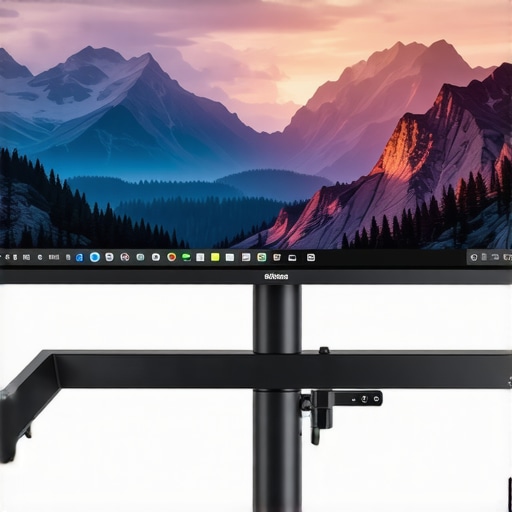 While many enthusiasts and professionals tout the benefits of IPS panels, high refresh rates, and gaming-grade features, there’s a labyrinth of nuanced truths that often go unnoticed. Let’s dig deeper into some common myths and critical pitfalls that can sway your decisions when choosing or tuning your monitor setup.
First, the widespread belief that higher refresh rates like 144Hz automatically mean better productivity is a misconception. While 144Hz can significantly reduce motion blur and increase responsiveness, it alone doesn’t guarantee a smoother workflow. Factors such as input lag, response time, and synchronization technologies play pivotal roles. For instance, enabling adaptive sync technologies like FreeSync or G-Sync can optimize performance and eliminate tearing, but many overlook that mismatched refresh rates or poor calibration can still cause artifacts or eye strain. Remember, a balanced approach yields better results than chasing numbers.
Another trap lies in assuming IPS panels are invulnerable to issues like glow, ghosting, or color shifting. IPS technology offers superior color accuracy and wider viewing angles, but it’s not exempt from flaws. There’s a common misconception that IPS monitors are always better for color work; however, some high-end VA panels can provide comparable contrast ratios with fewer glow issues at a lower price point. Moreover, cheap IPS displays may suffer from backlight bleed, which leads to uneven illumination that hampers both work and leisure activities. Picking a monitor with proper panel uniformity and understanding the limitations of IPS technology is crucial for high-stakes tasks.
Many users also associate refresh rate solely with gaming, neglecting its importance for white-collar work. This oversight overlooks recent research indicating that higher refresh rates—such as 120Hz or 144Hz—can improve visual comfort during prolonged use, reduce flicker perception, and even boost cognitive processing speed. That said, pushing beyond 144Hz on a standard consumer-grade monitor often introduces diminishing returns, especially if your GPU cannot consistently push high frame rates, or if the monitor lacks proper synchronization. Investing in a monitor with the right combination of refresh rate and response time, tailored to your use case, is what makes the difference.
Can your monitor settings be sabotaging your productivity or gaming experience?
Absolutely. In many cases, default settings or unoptimized configuration can cause eye strain, poor color reproduction, or ghosting effects. Fine-tuning calibration profiles, enabling low blue light modes, and adjusting response times are often overlooked yet impactful steps. For creative professionals, this calibration can unlock true color accuracy, especially when working with color-sensitive applications. For gamers, reducing motion blur through overdrive settings can significantly enhance responsiveness. Be proactive in experimenting with your monitor’s settings—sometimes, small tweaks can unlock a world of difference.
In conclusion, mastering your monitor’s potential involves understanding its nuanced behaviors and avoiding common misconceptions. Whether you’re aiming for pixel-perfect color work or fluid gaming responsiveness, a mindful approach ensures you don’t fall into traps that compromise your experience. Want to make the most of your setup? Explore resources like why IPS panels matter in 2025 for deeper insights, and don’t hesitate to ask questions or share your experiences in the comments. Have you ever fallen into this trap? Let me know!
Tools I Recommend for Longevity and Performance
Maintaining your monitor’s peak performance isn’t just about initial setup; it requires ongoing care and the right tools. Personally, I rely on a few specific software and hardware solutions to ensure my IPS and gaming monitors stay calibrated, cool, and responsive. Calibration tools like the Datacolor SpyderX help me maintain color accuracy, especially crucial for creative work, while brightness and contrast adjustments keep visuals sharp. Always recalibrate every few months to counteract drift and panel aging.
For thermal management, I use small, adjustable monitor fans that attach discreetly to the rear of my displays, helping dissipate heat during extended gaming or work sessions. Effective cooling reduces ghosting and response time lag, extending the lifespan of sensitive components. Regularly cleaning dust from vents and edges is equally vital, which I do with compressed air—never use liquids that might seep into the electronics.
Hardware-wise, VESA-compatible monitor arms like the Ergotron LX allow me to adjust height and angle precisely, preventing neck strain and uneven panel wear. Implementing cable management systems not only prevents accidental pulls but also reduces cable-related heat buildup, which can degrade performance over years.
Software tools also play a role in longevity. I use monitor management software such as MonitorControl to adjust refresh rates dynamically based on activity, reducing unnecessary wear on high-refresh displays. Keeping the firmware updated via manufacturer utilities prevents bugs and performance issues that often go unnoticed.
How do I maintain my monitor’s health over time?
The key is proactive monitoring: regularly calibrate with trusted tools, keep vents clear of dust, manage heat with external cooling if necessary, and use mounting accessories to prevent physical strain. Remember, technology trends suggest that in the future, integrated self-calibration and intelligent cooling systems will become standard for high-end monitors, making maintenance even easier. I predict these advancements will make keeping your monitor in top shape less of a chore. Don’t forget to try out one of my favorite tips—such as monthly calibration—to keep visuals vibrant and accurate for years to come. For personalized advice or troubleshooting, feel free to reach out via the contact page.
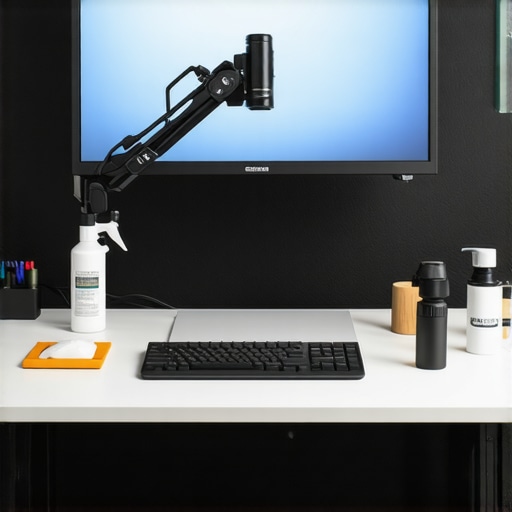
Reflecting on my journey with IPS monitors and high-refresh-rate setups, I realized some crucial lessons that transformed my computing experience. First, I learned that investing in quality calibration tools like the Datacolor SpyderX isn’t just about aesthetics but about maintaining color integrity over years of use. Second, I discovered that chasing the highest refresh rate without considering other factors like response time and synchronization tech can lead to disappointment—sometimes, a well-calibrated 144Hz monitor outperforms a more pixel-pumped but poorly tuned 240Hz screen. Lastly, I realized that embracing ergonomics and proper workspace setup, such as VESA mounts and adjustable arms, holds the secret to lasting comfort and productivity—no tech can replace good habits and thoughtful positioning.
Key Lessons I Wish Someone Told Me
- Quality calibration saves time in the long run. Buying a reputable calibration tool pays off with vibrant colors and reduced eye fatigue, ensuring the monitor ages gracefully and consistently.
- Refresh rate is part of a bigger picture. The harmony of refresh rate, response time, and adaptive sync creates a smooth, responsive environment—don’t rely on numbers alone to make a choice.
- Ergonomics enhances longevity. Using VESA mounts and adjustable arms isn’t just a luxury—it’s essential for preventing strain and maintaining focus over countless work hours.
- Effective maintenance extends your monitor’s lifespan. Regular cleaning, calibration, and thermal management are small investments that preserve performance and image quality well into the future.
Navigate Your Next Step with Confidence
In 2026, the landscape of work and gaming monitors is richer than ever, with IPS panels offering both stunning visuals and practicality. Dive into curated gear like top 144Hz IPS monitors or explore professional-grade options through pro-level IPS displays. Remember, choosing the right monitor isn’t just about specs; it’s about aligning your setup with your goals—whether that’s seamless multitasking, precise color work, or smooth gaming. Feel free to reach out via our contact page if you need tailored advice to fine-tune your workspace.
Seize the Opportunity to Elevate Your Setup
Now is the perfect moment to take control of your digital environment. Upgrading to an IPS monitor with smart refresh rate management, ergonomic accessories, and proper calibration can revolutionize your daily experience. Don’t wait until discomfort or subpar visuals hold you back—start small, learn continuously, and craft a workspace that empowers you to do your best. What’s holding you back from upgrading your current monitor setup? Share your thoughts below and let’s grow together in this tech journey.





![7 Best 144Hz Gaming Monitors Under $300 [2026 Tested Results]](https://monitors.smartscreenshowcase.com/wp-content/uploads/2026/03/7-Best-144Hz-Gaming-Monitors-Under-300-2026-Tested-Results.jpeg)


Leave a Reply