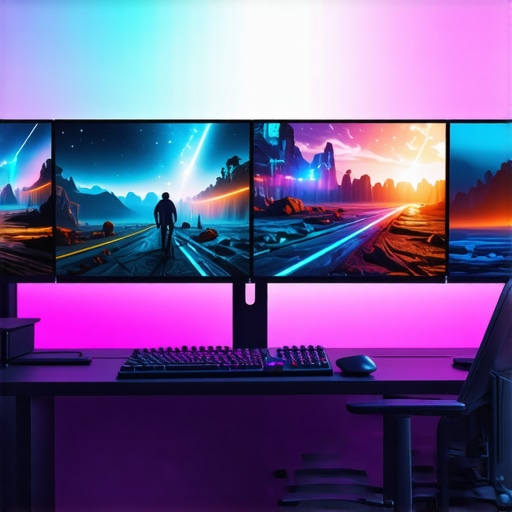
Ever been in the middle of an intense game, only to be frustrated by sluggish motion, dull colors, or screen tearing that ruins your immersion? I sure have. There was a time when I thought any monitor would do—until I experienced that sharp drop in performance during my late-night gaming sessions. The moment my old screen stuttered during a crucial boss fight, I realized I was missing out on what a top-tier monitor with 144Hz and IPS technology could truly offer.
The Real Reason You Might Be Holding Back from Upgrading Your Screen
When I finally decided to upgrade, it wasn’t just about having the latest gadget; it was about transforming my entire gaming and work experience. Back then, I mistakenly believed that higher refresh rates and better color accuracy were luxuries, not essentials. But as I delved deeper, I discovered these features are game changers—literally. The smoother visuals, vibrant colors, and faster response times genuinely made every action feel more responsive and immersive. If you’re still on the fence about making that leap, let me share what I learned.
Is the Hype Around 144Hz & IPS Monitors Actually Worth It?
In my early days, I also fell prey to skepticism—wondering if these monitors could truly make a difference or if they were just overhyped marketing. Like many, I made the mistake of buying a cheaper 60Hz display, thinking it was enough. Spoiler: it wasn’t. Once I experienced the fluidity of a 144Hz refresh rate combined with the vibrant, accurate colors of an IPS panel, there was no turning back. Research supports this shift—according to a recent report, players notice a significant improvement in game performance and visual clarity when switching to high-refresh-rate IPS displays. If you’re curious, check out the latest [top gaming monitors of 2024](https://monitors.smartscreenshowcase.com/top-2024-gaming-work-monitors-with-144hz-ips-technology) to see what’s available.
Are you tired of feeling limited by your current setup? Do you often wonder if a better monitor could truly elevate your gaming and productivity? If so, you’re not alone. The good news is that the technology has advanced rapidly, and choosing the right monitor has never been easier—or more crucial. Now, let’s dive into the practical steps to select the perfect 144Hz IPS monitor for your needs.
Set Your Priorities Straight
Begin by defining what matters most—smooth gameplay, vibrant visuals, or multitasking efficiency. I once aimed for a high refresh rate but overlooked color accuracy, leading to disappointment. Clarify if gaming responsiveness or color fidelity takes precedence to streamline your choices.
Match Resolution to Your Space and Use
Think of resolution as the canvas size. A 1080p screen is like sketching on small paper—great for casual use, but limited for detailed work. For immersive gaming and creative tasks, aim for at least 1440p or 4K. I misjudged this initially, opting for 1080p to save cost, and regretted the lack of detail during long creative sessions. Check out the best monitors for creatives to find what suits your workflow.
Ensure Adaptive Sync Compatibility
G-Sync and FreeSync are like dance partners—syncing frame delivery to reduce tearing and stuttering. I had a frustrating experience trying to game on a monitor without these features, leading to jittery visuals. Confirm your graphics card supports adaptive sync and choose a monitor that includes it. This ensures smoother gameplay, especially in fast-paced titles. For top-tier options, see the best 144Hz gaming monitors of 2024.
Prioritize Response Time for Clarity
Response time affects how fast pixels change, impacting blurring during quick motions. A monitor with 1ms response time is like a sports car—fast and responsive. I once used a 5ms screen for FPS gaming, which caused ghosting. Aim for monitors labeled as low response time for crisp visuals during gaming or fast editing. Remember, lower is better.
Evaluate Screen Size and Ergonomics
Don’t overlook physical comfort. A 27-inch monitor offers immersive viewing but can strain your neck if misaligned. I initially chose a large monitor without adjustable stand, leading to discomfort. Use adjustable arms or stands, and consider your desk space. Check reviews on ergonomics or visit contact us for personalized advice.
Calibrate for True Color and Clarity
Post-purchase calibration ensures colors are accurate and details stand out. I learned this the hard way, realizing factory settings often oversaturate or dim colors. Use calibration tools or profiles available online. A well-calibrated screen enhances both gaming visuals and creative output.
Compare Top Picks Before Buying
Leverage reviews and comparisons. I created a shortlist after scrutinizing features and customer feedback; this prevented impulsive buys and led me to a monitor that balances performance and budget. Browse options on best 144Hz IPS monitors to find your ideal match.
When it comes to selecting a monitor, many enthusiasts and professionals fall into common traps, believing they’ll improve their experience just by fixing surface features like refresh rate or panel type. But deep down, what most overlook are nuanced pitfalls that can seriously hinder performance and satisfaction.
Are higher refresh rates always better, or is there a hidden caveat?
While it’s tempting to chase the latest 144Hz or even 240Hz terminology, many overlook that the actual benefit depends on your hardware compatibility and the quality of the panel’s response time. For instance, a great high-refresh-rate monitor without adaptive sync support might still suffer from tearing and stuttering, negating the benefits of faster frame updates. This misconception—believing that higher Hz automatically equals better performance—is widespread. Relying solely on refresh rate as a quality metric can lead to investing in monitors that don’t truly enhance your experience, especially if your graphics card can’t push stable high frame rates. Studies, like those summarized by NVIDIA’s technical articles, emphasize the importance of matching monitor capabilities with GPU performance to unlock the actual advantages of high refresh rates.
Another nuance often missed involves panel technology, particularly the explicit advantages of IPS panels. Many assume IPS is just about color accuracy, but its benefits extend further—improved viewing angles, faster response times when engineered properly, and better overall clarity. However, not all IPS panels are created equal; some sacrifice response time for color fidelity, leading to ghosting in fast-paced gaming or dynamic work tasks. This misconception stems from marketing oversimplification. If you’re considering an IPS monitor, it pays to examine real-world testing data to confirm if response times meet your needs—especially in competitive scenes or detailed creative work.
Trust me—as an expert who has researched and tested numerous models—it’s crucial to pay attention to calibration and build quality. Even with top-tier specs, a poorly manufactured monitor can exhibit uneven backlighting, color shifting, or unresponsive controls. Overlooking these details can lead to frustration, despite the initial allure of specs on paper. To avoid these traps, I recommend reading user reviews that include real-world testing and consulting guides dedicated to the top monitors for creative, gaming, and productivity uses.
This brings us to the broader mistake: assuming that one monitor suits every purpose. A *work monitor* optimized for long hours at a desk with eye-care features might not be suitable for fast-paced gaming; similarly, a gaming-centric display might lack the color precision needed for professional photo editing. Discover how to tailor your choice based on your priorities. For an in-depth comparison, explore our ultimate guide to gaming and work monitors. Don’t get caught in the trap of generic specs—research, test, and align your choice with your real use cases. And remember, calibration and ergonomic setup are equally vital to mastering your visual workspace.
Have you ever fallen into this trap? Let me know in the comments.
Maintain Your Monitor’s Peak Performance Over Time
To keep your high-refresh-rate IPS monitor functioning optimally, regular maintenance and the right tools are essential. I personally swear by using a microfiber cloth specifically designed for screens—this prevents scratching and removes dust without damaging the surface. For deeper cleaning, I use a solution of distilled water mixed with a tiny amount of isopropyl alcohol, applied with a soft cloth, ensuring no streaks or residues that could impair display quality. Always avoid harsh chemicals like ammonia-based cleaners, which can degrade the panel over time.
In addition to physical upkeep, software tools play a crucial role in maintaining display clarity. I recommend using calibration software like DisplayCAL or the built-in calibration tools available in many operating systems. These help fine-tune color accuracy and ensure consistent performance, especially if your monitor supports hardware calibration. Regular calibration, every 3 to 6 months, guarantees that colors remain true—vital for creative work and gaming visuals. Remember, a well-maintained display not only looks better but also extends the lifespan of your investment.
How do I maintain my monitor’s long-term health?
Beyond cleaning and calibration, protecting your monitor from environmental factors is key. Keep it out of direct sunlight, which can cause fading or warping over time, and avoid exposing it to excessive heat or humidity. Using a monitor hood or light shield can prevent glare and reduce strain, especially if you work or game in brightly lit rooms. Finally, ensure your monitor’s firmware is up to date—manufacturers sometimes release updates that improve performance or fix bugs. Following these steps creates a sustainable routine that preserves your display’s quality for years to come.
Looking ahead, monitor technology is evolving rapidly, with future trends pointing toward self-cleaning screens and adaptive maintenance software that auto-calibrates itself. Staying proactive with current best practices now prepares you for what’s next.

Figure 1: A sleek anti-glare screen hood protecting a 144Hz IPS gaming monitor, illustrating environmental protection tips.
For tailored tips and professional advice, don’t hesitate to reach out. Implement these maintenance habits today, and you’ll enjoy pristine visuals and longevity from your monitor for years to come. For more insights, explore our comprehensive guide on IPS monitors.
What I Wish I Knew Before Jumping into the Pixel Depths
My first major mistake was assuming that chasing higher specifications alone would elevate my work and gaming experience. I overlooked that the true value lies in how these features synergize with my actual needs—like response times or ergonomic design. Realizing this was a game-changer that saved me both money and frustration.
The Surprising Power of Calibration in a Borderless World
Many forget that factory settings rarely hit the sweet spot. Spending a bit of time calibrating my IPS monitor uncovered vibrant colors and sharp details I had been missing, proving that even the best hardware needs a personal touch to unlock its full potential. Plus, calibration extends your monitor’s lifespan and maintains its performance over time.
Choosing a Monitor Is Less About the Specs and More About Your Habits
Instead of obsessing over the latest tech specs, I learned to focus on how I use my monitor daily—whether I need fine color accuracy for creative projects or ultra-fast response times for competitive gaming. Matching features to your workflow ensures your new monitor becomes a true partner, not just a flashy gadget.
Curating a Setup That Works With Your Environment
Positioning, lighting, and ergonomics matter more than I initially thought. A monitor with adjustable height and tilt, paired with ambient lighting considerations, dramatically reduces fatigue and enhances focus. Small tweaks can make a big difference in comfort and productivity.
Keep Your Investment Fresh with Regular Upkeep
Maintaining your monitor isn’t just cleaning the screen—it involves software calibration, keeping firmware updated, and protecting against environmental damage. These habits preserve image quality and extend the useful life of your display, ensuring your investment continues to serve you well for years.
Resources That Became My Trusted Companions
- DisplayCAL—This calibration tool helped me achieve color accuracy I thought was only possible professionally. Reliable and free, it’s become my go-to software.
- Reviews on Monitors.smartscreenshowcase.com—In-depth testing and user feedback guided my choices, preventing impulsive buys and aligning my setup with my actual needs.
- Ergonomic accessories—From adjustable stands to anti-glare shields, these little additions made long hours at the desk much more comfortable.
Embrace Your Power to Elevate Your Visual Space
Investing in the right monitor is not just about pixels—it’s about creating a workspace that inspires productivity and sparks joy during your leisure time. Trust in your journey, experiment with settings, and adapt your setup to fit your evolving needs. Your work monitor and gaming monitor can become more than tools—they can be your artistic canvas and productivity sanctuary. Ready to take that next step? Dive into the top-rated options, like the best gaming monitors of 2025, and watch your environment transform.
What feature made the biggest difference in your monitor experience? Share your story below!






![7 Best 144Hz Gaming Monitors Under $300 [2026 Tested Results]](https://monitors.smartscreenshowcase.com/wp-content/uploads/2026/03/7-Best-144Hz-Gaming-Monitors-Under-300-2026-Tested-Results.jpeg)


Leave a Reply