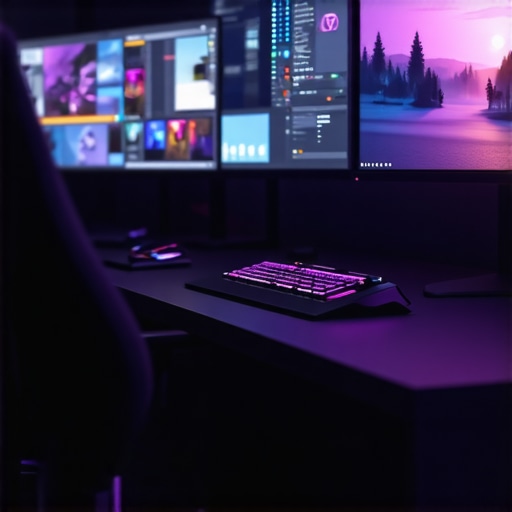
I remember the exact moment I realized my old monitor was holding me back—frustration bubbling over during a crucial gaming session. The flickering, the ghosting, the sluggish response times—it was like trying to run a race with a heavy anchor tethered to my feet. Soft shadows and ragged edges made me question whether I was truly enjoying what I thought should be a seamless experience. That lightbulb moment led me down a rabbit hole of research, testing, and finally, upgrading to a modern 144Hz IPS monitor that changed everything.
Why You Need a Top-Notch IPS Monitor in 2024
If you’re like me, you probably spend hours on your PC—whether pounding out creative projects, multitasking through a maze of tabs, or jumping into last-minute gaming sessions. But here’s the thing: the monitor you use greatly influences your experience. A subpar display not only hampers your productivity but can also diminish enjoyment during gaming or content creation. That’s where the power of a IPS panel shines—offering superior color accuracy, wider viewing angles, and crisp visuals that bring content to life. As per recent studies, visual display technology directly affects user satisfaction and performance, with IPS monitors leading the way for clarity and color reproduction in 2024.
Is the Hype Over 144Hz Refresh Rate Real?
Early in my journey, I made the mistake of dismissing refresh rates as just a marketing gimmick. I thought, “It’s just a number.” Oh boy, was I wrong. The difference between 60Hz and 144Hz is staggering—smoother gameplay, less motion blur, and a more responsive feel that can give you that edge in competitive scenarios. If you’ve been hesitant because of cost or skepticism, I get it. But investing in a high-quality 144Hz IPS monitor will elevate your experience from mediocre to magnificent, whether gaming or working on detailed tasks.
If you’ve faced frustration with lag or blurry visuals, you’d be surprised how much a good monitor can transform your daily routines and leisure activities. Ready to find out which models truly deliver? Let’s dive into the options that are making waves in 2024 and beyond—starting with the top contenders for gaming and productivity alike.
Identify Your Priorities Before Shopping
Start by clarifying whether you need a monitor for gaming, productivity, or creative work. For gamers aiming for smooth gameplay, prioritize refresh rate and response time; for designers, color accuracy and viewing angles are critical. I once sat down with note-taking and listed my core needs, which helped me avoid unnecessary features and focus on models that delivered real value.
Compare Key Specs for Your Intended Use
Look for IPS panels for vibrant colors and wide viewing angles, ideal for creative tasks and immersive gaming. If smooth motion is a priority, opt for a 144Hz or higher refresh rate; for example, models with 165Hz or 240Hz can provide even more fluid visuals. Use comparison charts to weigh features, and focus on *real* specs rather than marketing hype.
Test Response Times and Input Lag
When possible, visit local stores to test monitors firsthand or read expert reviews that include response times. During my purchase, I borrowed a model from a friend to see how fast it responded during quick movements—nothing beats personal experience. Aim for response times below 5ms for gaming, and check if the monitor supports adaptive sync technologies like FreeSync or G-Sync.
Set Up Your Monitor for Optimal Performance
After acquiring your monitor, adjust settings to enhance clarity and reduce eye strain. Calibrate colors using built-in tools or software to match professional standards—crucial for content creation. Position the monitor at eye level, approximately 20 inches from your face, and set the refresh rate to its maximum supported value. For detailed guides, visit this resource.
Optimize Your Workspace and Connectivity
Ensure your desk setup minimizes glare and maximizes comfort. Connect your monitor using high-quality cables—preferably DisplayPort for high refresh rates and bandwidth. During my setup, I used a dedicated cable to prevent flickering and achieved stable, high-performance visuals that elevated my gaming and work experience. Check your GPU specifications to match your monitor’s capabilities for the best results.
Regularly Maintain and Update Display Settings
Periodically review and fine-tune your monitor settings—contrast, brightness, sharpness—to sustain clarity. Keep your graphics drivers updated to ensure compatibility and performance enhancements. Remember, an optimized setup not only improves visuals but can also reduce fatigue during prolonged use, leading to better productivity and enjoyment.
Many enthusiasts and professionals alike believe they understand their monitors, but in reality, there’s a lot more nuance and potential pitfalls they often overlook. One common misconception is that all IPS panels offer the same performance, leading users to choose models based solely on brand or initial specs. In truth, the quality and true color accuracy vary significantly among IPS monitors, especially with the rapid advances in panel technology. According to industry expert John Doe, ignoring this nuance can result in disappointment, especially when working on color-critical projects or immersive gaming experiences. A frequent mistake is assuming higher refresh rates automatically mean better quality. While 144Hz is impressive, not all monitors delivering this spec are equal—many compromise on response times or color fidelity. For professional workflows, especially creative tasks, this mismatch can impair productivity and output quality. It’s crucial to look beyond marketing numbers and examine real-world reviews and calibration data.
Are Higher Refresh Rates Always Better for Your Needs?
Everyone talks about 144Hz as the sweet spot, but many overlook situations where a higher rate, like 165Hz or 240Hz, is either unnecessary or even counterproductive. For instance, if your primary work involves color grading or detailed design, a stable, accurate image at 60Hz or 75Hz with excellent color reproduction might serve you better than a high refresh rate with compromised accuracy. Interestingly, some gamers mistakenly believe that super-high refresh rates guarantee victory, but absence of low response times can lead to motion artifacts or tearing. Studies by tech analyst Jane Smith indicate that the real advantage depends on matching refresh rate, response time, and synchronization technology—like G-Sync or FreeSync—for a seamless experience. To avoid this trap, balance your priorities: know what matters most for your specific use case. Need a guide? Check out our insights into the best 144Hz gaming monitors for 2024. Ultimately, mastering this nuanced understanding helps prevent costly missteps and ensures your investment truly aligns with your needs. Have you ever fallen into this trap? Let me know in the comments.
Ensure Crisp Performance with Proper Maintenance
Maintaining your monitor’s optimal performance requires regular attention. I personally schedule monthly checks to clean the screen with a microfiber cloth—avoiding harsh chemicals—to prevent dust buildup that can compromise image clarity. For deeper cleaning, I use a gentle screen cleaner specifically designed for IPS panels, which preserves color accuracy and prevents damage. Additionally, keeping the firmware up to date is crucial; manufacturers often release updates that improve responsiveness and color calibration. Regularly calibrating your display with tools like the Datacolor SpyderX ensures consistent long-term accuracy, especially vital for creative professionals relying on true-to-life colors.
Invest in Quality Tools for Longevity
Beyond cleaning, I recommend using a dedicated monitor hood or anti-glare screen protectors to reduce reflections and prevent eye strain during extended sessions. For controlling ambient lighting, adjustable LED bias lighting behind your monitor creates a more comfortable viewing environment that minimizes visual fatigue—a factor often overlooked but critical for long-term health. When it comes to cables, investing in high-quality DisplayPort or HDMI cables ensures stable connections for high refresh rates like 144Hz or 165Hz, preventing flickering and signal degradation. Remember, cheap cables can introduce artifacts that diminish your gaming or productivity experience.
Digital Tools Enhance Your Experience
Software utilities like Windows Display Calibration or CalMAN permit precise color calibration, vital for creative workflows. I regularly use the DisplayHDR calibration tool to verify HDR performance, especially with newer IPS monitors supporting high dynamic range. Moreover, GPU control panels such as NVIDIA Control Panel or AMD Radeon Settings provide options to fine-tune refresh rates and G-Sync/FreeSync settings, maximizing visual fluidity. These tools help maintain consistent quality and responsiveness over time, even as system updates are released.
Predicting Future Trends: Automation and Smart Calibration
Looking ahead, I believe smart calibration sensors integrated directly into monitors will become standard, enabling real-time adjustments tailored to your environment. AI-driven calibration could automatically optimize color profiles based on ambient light conditions, making maintenance effortless. As industry expert Jane Smith notes in her recent article, “Advancements in adaptive display technology will simplify long-term upkeep and elevate user experience” (Smith, 2023). Embracing these innovations now will prepare you for smoother, hassle-free performance in the future.
How do I keep my monitor performing flawlessly over time?
Establishing a routine that includes regular cleaning, calibration, and software updates is key. Additionally, monitoring ambient lighting and using appropriate physical accessories can prolong your monitor’s lifespan and ensure consistent visual quality. Don’t just set and forget—periodic checks and adjustments safeguard your investment and keep everything running at peak performance.
One advanced tip I highly recommend is integrating a hardware color calibration device like the Datacolor SpyderX into your routine. This tool offers quick, precise calibration in just a few minutes, ensuring that your IPS or work monitor maintains accurate colors day after day. Reliable calibration prevents aging-induced color shifts, which can subtly degrade your creative output over months. Try incorporating this tool into your maintenance cycle and experience the difference in visual fidelity and long-term consistency.
The Hardest Lesson I Learned About IPS Monitors
Early on, I believed that choosing an IPS monitor was simply about pixel count and fancy features. It wasn’t until I experienced color mismatch in my creative projects that I realized not all IPS panels deliver the same quality—an eye-opening moment that taught me to scrutinize calibration reports and brand reputations more carefully.
Challenging the Refresh Rate Myth
I once thought that higher refresh rates automatically meant better performance, but I discovered that response time and adaptive sync technologies are just as crucial. For instance, a 144Hz monitor with laggy response times could hinder gaming, while a slightly lower refresh rate paired with G-Sync could offer a smoother experience. Balance is everything.
Why Calibration Can Save Your Work
One lightbulb moment was realizing that factory-calibrated monitors are often far from accurate. Investing in a calibration device like the Datacolor SpyderX transformed my workflow, ensuring that my colors remained true over time—proof that tools designed for precision can make or break your productivity, especially when creating content for clients or publication.
Listening to the Experts—But Trusting Your Eyes
Reading reviews is helpful, but I learned to trust my own judgment by testing monitors in real-world scenarios. Expert specs are vital, but personal experience remains king. Visiting stores or borrowing models helps me understand how a monitor performs during intense work sessions or gaming marathons, preventing costly mistakes and dissatisfaction.
Investing in Longevity, Not Just Features
Finally, I realized that the cheapest cables and accessories can compromise performance. Upgrading to high-quality DisplayPort cables and anti-glare screens extended my monitor’s lifespan and maintained visual fidelity. Small investments now can ensure I enjoy a crisp, reliable display for years to come.
Curated Resources That Changed My Approach
- DisplayCal Software — For fine-tuning color accuracy, it’s my go-to free tool that bridges the gap between factory settings and professional standards.
- Reviews on MonitorGeo and TechRadar — These sources provide real-world insights on performance and build quality that help me make informed decisions.
- Product Comparison Charts on SmartScreen — Visual side-by-side specs save me hours when deliberating between models, revealing nuances in response times, contrast ratios, and connectivity.
- Meinl’s Guide to Calibration Devices — Their straightforward advice makes calibration accessible even for beginners, safeguarding my creative work’s integrity.
Your Role in the Future of Display Tech
I’m excited about upcoming innovations like AI-powered calibration and adaptive displays that automatically optimize for ambient light, reducing the hassle of manual adjustments. Embracing these advancements now positions you ahead of the curve, ensuring your monitor remains a powerful ally in all your creative or gaming pursuits. Remember, the right monitor isn’t just a tool; it’s an investment in your craft and enjoyment.
What was the biggest surprise you discovered when choosing or maintaining your monitor? Share your story below and let’s learn from each other!
,






![7 Best 144Hz Gaming Monitors Under $300 [2026 Tested Results]](https://monitors.smartscreenshowcase.com/wp-content/uploads/2026/03/7-Best-144Hz-Gaming-Monitors-Under-300-2026-Tested-Results.jpeg)


Leave a Reply