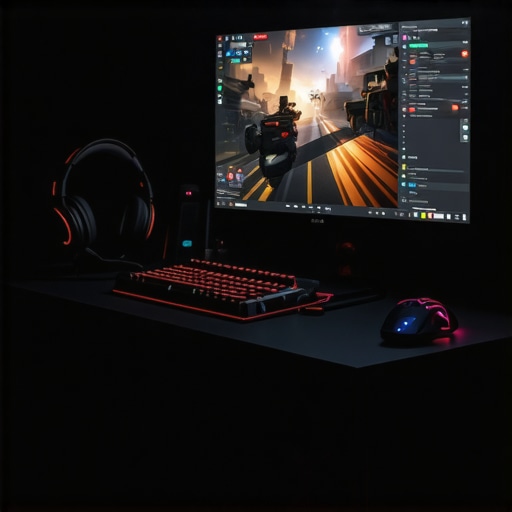
I remember the exact moment it hit me—every time I jumped into a fast-paced game, my old monitor felt like it was trying to hold me back. The sluggish response, the screen tearing—those moments of frustration made me realize that my equipment wasn’t just a minor detail, but a crucial part of my gaming experience. That lightbulb moment led me down a rabbit hole, searching for the perfect upgrade that would finally give me the smoothness and speed I craved.
Why Upgrading to a 144Hz Monitor Changed Everything
Switching to a 144Hz gaming monitor was like night and day. Suddenly, the fast-paced action felt more fluid, aiming felt more precise, and even the most hectic scenes became watchable rather than a blur. The difference isn’t just a matter of aesthetics; it’s real performance. When you’re gaming competitively or even casually, those extra frames per second can be the difference between a win and a loss. And according to recent research, high refresh rates can reduce motion blur and visual fatigue—keeping you sharper and more engaged over longer gaming sessions.
Is All 144Hz Monitors Created Equal?
This upgrade might sound straightforward, but not all 144Hz monitors are built the same. I’ve made the mistake early on of buying a budget model with poor response times and limited viewing angles, which quickly dulled my enthusiasm. That’s why I want to share what I’ve learned about selecting the best 144Hz monitor for gaming and productivity, blending speed with clarity. If you’re facing similar doubts or fears—like, “Is it worth investing in a high-end IPS monitor?”—know that the right choice makes a significant difference in your experience.
If you’re tired of lag, ghosting, or subpar visuals, keep reading. I’ll walk you through how to spot the best options and avoid common pitfalls, so you can elevate your setup without wasting money. Need help finding personalized recommendations or have questions about specific models? You can always reach out. Let’s dive into what makes a 144Hz monitor truly stand out and why it might be the game-changer you’re looking for.
.
Set Clear Priorities Before Shopping
Recall a time I hurried into buying a monitor without defining my primary needs, ending up with a screen that looked great but lagged behind in response time. To avoid this mess, identify if your main focus is competitive gaming or multitasking productivity. For gaming, prioritizing refresh rate and response time is essential; for work, clarity and color accuracy matter more. Write down your top requirements to guide your search and prevent impulse buys that don’t fulfill your core needs.
Compare Response Times and Refresh Rates Directly
Remember when I bought a 144Hz monitor boasting high refresh rates but ignored response time specs? That oversight resulted in ghosting, negatively impacting gameplay. To avoid this, always check the monitor’s response time—aim for 1ms to 3ms for gaming. Don’t just rely on marketing hype; verify reviews focusing on input lag and ghosting issues. Consider models like those highlighted in the best 144Hz gaming monitors for 2025 to compare real-world performance.
Balance Refresh Rate With Your Hardware
If your graphics card struggles to push frames over 100, investing in a 144Hz monitor won’t unlock its full potential. Ensure your system can match the monitor’s capabilities; otherwise, you might experience bottlenecks. Check your GPU’s frame rate output in demanding games and, if necessary, upgrade your graphics hardware first. This step saves you from upgrading the monitor only to realize you can’t consistently achieve high frame rates.
Assess Panel Types for Visual Clarity
Early on, I chose a TN panel for its fast response but was disappointed by poor color accuracy and narrow viewing angles. Switching to an IPS panel dramatically improved visual clarity and color depth, enhancing both gaming immersion and work precision. Use insights from IPS monitors explained to understand the trade-offs. Prioritize panel type based on your usage: IPS for color and viewing angles, TN for raw speed.
Match Resolution With Screen Size and Purpose
During a cluttered setup, I realized a 27-inch 4K display was overwhelming for quick reflexes but excellent for creative work. For gaming and fast-paced tasks, 1080p or 1440p with a 24-27 inch size provides a good balance, reducing latency and boosting GPU performance. For detailed work like photo editing, higher resolutions improve clarity. Review options like best computer monitors for creatives to find balanced resolutions for your needs.
Set Up for Ergonomics and Reduced Fatigue
After configuring my new monitor with proper height, tilt, and screen position, I noticed less neck strain and eye fatigue during long sessions. Use adjustable stands or monitor arms, ensuring the top of the screen is roughly at eye level. Consider blue-light filters and anti-glare coatings, especially if you’ll be working or gaming for extended periods. Proper setup enhances comfort, allowing you to maintain performance without physical discomfort.
Test and Fine-Tune Your Settings
Once your monitor is connected, calibrate color, contrast, and refresh rate settings. I used calibration tools and adjusted settings based on the environment, which resulted in crisper images and smoother motion. Explore on-screen display menus and software calibration options to tailor the picture to your preferences. Precise tuning maximizes your investment and ensures that visuals are optimized for your specific tasks or games.
Leverage Expert Recommendations
If uncertain about which model or features suit your needs, consult curated lists like top 144Hz IPS monitors for gaming and work in 2024 or best 144Hz IPS monitors for gaming and work in 2024. These reviews help you evaluate options based on real-world performance, ensuring your purchase aligns with your goals, whether for gaming excellence or professional productivity.Many users believe that simply choosing a high refresh rate or an IPS panel guarantees a superior experience, but that’s only scratching the surface. In reality, there’s a nuanced landscape of factors that can trip up even seasoned enthusiasts. One popular misconception is that a 144Hz refresh rate alone ensures smooth gameplay or productivity, but neglecting response times and input lag can nullify these benefits. For example, a monitor with 144Hz but a response time of 10ms may produce ghosting and motion blur, undermining the very advantage users seek. Similarly, the notion that IPS panels are always superior overlooks their typical trade-offs with contrast ratios and potential for IPS glow, which can be distracting in darker environments. Advanced users must consider calibration, pixel response, contrast, and even panel uniformity to get the full picture. An insightful study published in the Journal of Visual Communication and Image Representation emphasizes that optimal color accuracy and response characteristics are vital for professional work and immersive gaming alike, echoing the idea that specs alone don’t tell the whole story. When shopping, verify real-world reviews and performance benchmarks rather than relying solely on marketing claims. Beware of popular traps: buying a monitor based solely on marketing hype like ‘the fastest response time’ without checking reviews can lead to disappointment. Instead, look for models that balance refresh rate, response time, color accuracy, and ergonomics for a holistic upgrade, as discussed in our comprehensive guide to IPS monitors.
Why Do Some High-End Monitors Fall Short in Practice?
Even the most advertised features can’t compensate for poor factory calibration or manufacturing inconsistencies. A high refresh rate is useless if the monitor exhibits uneven backlighting or inconsistent color reproduction, which can strain your eyes and reduce work accuracy. Investing in models with proven panel uniformity and calibration options can save you headaches down the line. Remember, the smartest buys are backed by rigorous testing and validation, which is why I suggest checking real-user reviews and professional benchmarks. Have you ever fallen into this trap? Let me know in the comments. For tailored advice, you can reach out through our contact page. Ensure your upgrade is a step forward, not a leap into disappointment.
Investing in a high-quality gaming or work monitor is just the beginning; keeping it running optimally over years requires deliberate maintenance and the right tools. Personally, I rely on specific calibration hardware, software, and routine checks that ensure my IPS and 144Hz displays continue delivering crisp visuals and smooth performance. Regularly updating your monitor’s firmware, for instance, can address bugs and improve compatibility, and many manufacturers now provide dedicated tools for this purpose. Additionally, using color calibration devices like the Datacolor SpyderX Pro allows me to fine-tune display accuracy, which is essential for creative work and critical gaming. These tools offer a calibration process that bridges the gap between factory settings and optimal display performance, helping to extend the lifespan and consistency of your monitor’s visuals.
How do I maintain my monitor over time?
Routine cleaning with microfiber cloths and avoiding harsh cleaners preserve the screen’s clarity. Ensuring adjustable stands or monitor arms are properly tightened prevents unwanted shifting that could damage cables or ports. It’s also smart to periodically check and update your graphics card drivers, as they influence how your GPU communicates with your monitor, especially at high refresh rates like 144Hz. For long-term health, consider implementing a power-saving mode during inactivity, which can reduce wear on internal components. Exploring reviews like our privacy policy helps to keep you informed about software updates from trusted manufacturers and the latest best practices.
Using reliable diagnostic tools, such as Eizo’s Monitor Test or Lagom LCD Test, allows me to quickly identify issues with color uniformity, response times, or backlight flickering. Keeping detailed logs of calibration results helps track deterioration over years. As technology progresses, trends point toward smarter, AI-driven calibration and self-maintaining displays, which will minimize manual upkeep. But until then, your proactive approach with high-quality tools and regular checks will guarantee your monitor’s peak performance for years to come.
Tools I recommend for sustained monitor health
In my toolkit, a combination of hardware calibration devices like the X-Rite i1Display Pro and software utilities like DisplayCAL ensures color consistency and reduces eye strain. I also use magnetic screen cleaners instead of generic wipes to avoid scratches, and invest in surge protectors to shield against power fluctuations that can damage internal electronics. For managing firmware updates efficiently, I subscribe to manufacturer notifications, ensuring my monitors always run on the latest firmware, which can tighten response times and fix bugs. Moreover, maintaining a clean, stable environment with controlled temperature and humidity extends the lifespan of sensitive components like IPS panels, which are known for their color accuracy but can be more susceptible to environmental stressors. These tools and practices allow me to keep my monitors delivering top-tier performance, whether for competitive gaming or professional tasks.
Looking ahead, advances like integrated self-calibration and remote diagnostics will simplify maintenance further. For now, I recommend trying out a calibration device like the X-Rite i1Display Pro — it’s a game-changer for ensuring long-term clarity and color fidelity. Ready to give your monitor lasting performance? Start with a routine calibration session today and watch your display’s quality stay sharp for years to come.
In my journey through upgrading my gaming and work setups, I’ve uncovered some truths that aren’t immediately obvious but can drastically improve your experience—things that seasoned enthusiasts often keep to themselves. These lessons have shaped my understanding and can do the same for you, transforming your monitor upgrade from a simple purchase to a strategic move that pays off long-term.
3 Surprising Lessons That Changed My Perspective on 144Hz Monitors
- Not all response times are equal—don’t rely solely on marketing claims. I learned this the hard way when a monitor advertised 1ms response time but suffered from ghosting due to poor panel quality. Digging deeper into reviews and real-world benchmarks revealed that pixel response variations can make or break your gameplay clarity.
- Color accuracy and refresh rate must be balanced, especially for creative work. Upgrading solely for gaming’s sake led me to overlook how crucial color fidelity is for design and photo editing. IPS panels with high refresh rates, when properly calibrated, can serve dual purposes without compromise.
- Set up ergonomics from day one—it’s a game-changer for long-term comfort. Even the fastest monitor with perfect specs is unhelpful if you aren’t positioned correctly. Proper height, tilt, and distance maintain your health and focus over marathon sessions.
Tools That Keep My Display in Prime Condition
Over time, I’ve come to trust specific equipment and resources that ensure my monitor continues to perform flawlessly. A color calibration device like the X-Rite i1Display Pro helps me maintain color accuracy, which is vital for my creative projects. Regular firmware updates from manufacturers are also crucial, and subscribing to their notifications keeps me ahead of potential bugs and performance fixes. Additionally, diagnostic tools like Lagom LCD Test help me identify response issues before they matter, preserving the visual fidelity I depend on.
Embark on Your Own Monitor Mastery Journey
Remember, upgrading your monitor isn’t just about chasing the latest specs—it’s about aligning hardware with your goals and habits. A well-calibrated, ergonomically optimized setup can elevate your gaming and productivity to new heights. Don’t be afraid to experiment, learn, and tailor your environment for maximum benefit. The future of monitor technology holds even smarter solutions, so staying curious and proactive will serve you well. If you’re ready to take the next step, explore our handpicked recommendations to find the perfect fit for your needs.
What unexpected tip or insight has transformed your experience with gaming or work monitors? Share your story below and let’s grow together in this vibrant community!





![7 Best 144Hz Gaming Monitors Under $300 [2026 Tested Results]](https://monitors.smartscreenshowcase.com/wp-content/uploads/2026/03/7-Best-144Hz-Gaming-Monitors-Under-300-2026-Tested-Results.jpeg)


Leave a Reply