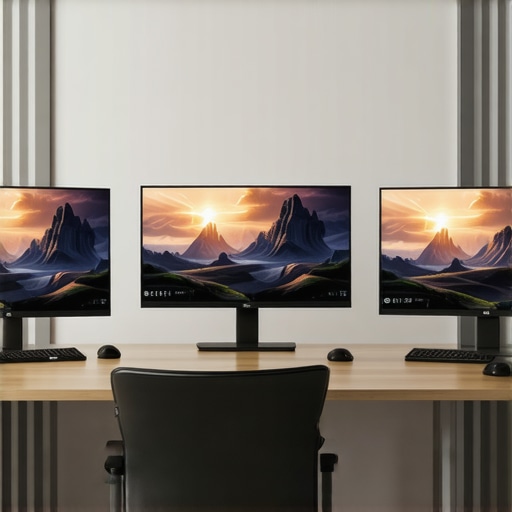
I vividly remember the frustrating moment when I was deep into a gaming session, adrenaline pumping, only to be betrayed by my sluggish, dull display. The colors looked washed out, motion blur ruined the experience, and I felt like I was fighting against my own equipment. It was a real lightbulb moment that made me realize: my monitor was holding me back—not just in gaming, but also in work tasks that demanded clarity and speed. That day, I vowed to find a monitor that could deliver both smooth gameplay and crisp, vibrant visuals for productivity.
Why choosing the right monitor can transform your gaming and work experience
In 2024, the right monitor has become more than just a screen; it’s a crucial tool that impacts your performance and visual comfort. With the surge in high-refresh-rate technology, particularly 144Hz IPS monitors, serious gamers and professionals alike are reaping benefits like ultra-smooth motion, accurate color reproduction, and wider viewing angles. But with so many options flooding the market, selecting the best fit can feel overwhelming. I’ve been there, and I want to help you avoid the common pitfalls that can turn what should be an upgrade into a frustrating waste of money.
Is investing in a 144Hz IPS monitor really worth the hype?
Absolutely—if you know what to look for. I once bought a budget TN panel, thinking it would be good enough for casual gaming. Sure, it was inexpensive, but the color shift and limited viewing angles quickly became annoying, especially when I shifted my sitting position. I realized my mistake early: choosing a monitor based solely on specs without considering real-world performance can undermine your entire setup. That’s why I focus on models that combine high refresh rates with the unrivaled color accuracy of IPS technology, ensuring you get a monitor that’s fast, visually stunning, and multi-purpose. Want to learn how to pick such a monitor? Let’s dive into the practical steps for finding your perfect display in 2024.
Identify Your Main Usage Goals
Start by defining whether your priority is gaming, productivity, or a balance of both. I once bought a monitor aiming to do both but ended up with compromises on color accuracy or response time. Clarify your primary needs to narrow your options—this will guide your focus on specs that matter most, like refresh rate and color accuracy. Explore this comprehensive guide for detailed distinctions.
Match Refresh Rate with Your Hardware
Check your graphics card capabilities. If you’re aiming for 144Hz smoothness, ensure your GPU can consistently deliver high frame rates at your desired resolution. I once paired a mid-tier GPU with a high-refresh monitor, only to experience stuttering, reminding me to match hardware with monitor specs. Use this resource to determine compatibility and optimal performance.
Assess Response Time and Input Lag
Fast response times and low input lag are critical for gaming. Don’t rely solely on manufacturer claims; read real-world reviews. I tested a monitor with a claimed 1ms response time but found ghosting artifacts; a lesson that specs don’t tell the whole story. Standout models typically have less than 4ms response times and minimal input lag, so physically testing or reading detailed reviews is beneficial.
Prioritize Panel Technology and Visual Fidelity
Choose an IPS panel for excellent color accuracy and wide viewing angles—key for both gaming immersion and professional tasks like design. I once opted for a TN panel to save money, but the dull colors and narrow angles frustrated me during collaborative work. When selecting, consider models praised for vibrant colors and consistent displays, such as those reviewed in top IPS monitors. Ensure your monitor supports good color calibration and, if possible, factory calibration for accurate visuals.
Size and Ergonomics Matter
Pick a size that fits your workspace and viewing distance. I initially went too small, forcing me to lean forward during long work sessions. A 27-inch monitor at about arm’s length provides comfort and immersion without overwhelming your desk. Adjustable stands, tilt, and swivel features will help reduce strain, safeguarding your health and productivity.
Evaluate Connectivity and Multi-Monitor Compatibility
Ensure your PC has the necessary ports (such as HDMI, DisplayPort, or USB-C). Multiple inputs allow easy multitasking and seamless switching between devices. I once was limited by only HDMI ports, which hindered connecting additional peripherals. Confirm the monitor’s compatibility with your hardware and future upgrades—reading detailed specifications and reviews helps avoid compatibility issues. For multi-monitor setups, consider models specifically designed for ease of alignment and minimal bezels, detailed in top work monitors.”}]}
Many enthusiasts and even seasoned professionals often fall into the trap of oversimplifying what makes a monitor truly effective. The common myth is that higher refresh rates or better pixel response times automatically guarantee superior performance. However, this overlooks the critical nuances that can turn an average display into a productivity or gaming disaster. For instance, a 144Hz refresh rate is celebrated for smooth motion, but without proper synchronization technologies like IPS panel technology, color accuracy and viewing angles may suffer, creating a disconnect between visual fidelity and performance. It’s vital to assess how these specs interact and what hidden trade-offs they often entail.
Are response times as crucial as manufacturers claim? People often chase 1ms response times without realizing the difference is negligible in real-world scenarios. Studies, including insights from display experts, suggest that beyond a response time of around 4ms, perceptible ghosting or motion blur diminishes significantly. In fact, focusing too much on *initial specs* can lead you away from more impactful features like uniformity, color calibration, or ergonomic design. This is especially true for work monitors which demand accurate color reproduction over lightning-fast response times.
Moreover, many buyers underestimate the importance of compatibility and calibration. An expensive monitor with poor factory calibration or limited adjustment options can underperform regardless of its impressive specs. Skipping thorough reviews and hands-on testing can turn a seemingly perfect purchase into a disappointment. Consulting comprehensive guides, such as this resource, helps you identify hidden pitfalls and select displays that genuinely match your unique needs.
How can advanced features like color accuracy, panel uniformity, and ergonomic design affect your long-term experience?
While the focus often lies on refresh rates and response times, advanced features like factory calibration for color accuracy, uniformity across the panel, and ergonomic adjustments are what preserve your health and enhance productivity over years of use. For example, a monitor with wide viewing angles ensures that collaborative work or creative tasks don’t suffer from color shifts when viewed from different positions. According to experts, neglecting these aspects can lead to eye strain, distortion, and even headaches, undermining the very purpose of the upgrade. To avoid these issues, prioritize reputable models praised for their comprehensive performance metrics, and always consider your environment and ergonomic needs. For additional insights, check the detailed reviews on top IPS monitors.
In summary, understanding the complex interplay between various monitor specs and features is critical. Don’t be swayed by shiny numbers or marketing buzzwords—dig deeper to evaluate real-world performance and long-term value. Do you think you’ve fallen for common monitor myths? Share your experiences below and let’s get the conversation started!
How do I maintain my monitor over time?
Maintaining your monitor requires a combination of regular cleaning, proper calibration, and ensuring your setup stays in optimal condition. I personally use a microfiber cloth and a gentle screen cleaner to keep my IPS monitor free of dust and smudges, which not only preserves the display quality but also extends its lifespan. Avoid abrasive cleaning materials that can damage the screen’s surface. Additionally, regularly adjusting the color calibration using software like Windows’ built-in calibration tools or dedicated hardware calibrators ensures consistent visual fidelity, especially important for color-critical work.
Software updates are equally vital. Keep your graphics driver and monitor firmware current; manufacturers often release updates that improve compatibility, performance, and color accuracy. Setting a routine to check for these updates weekly helps prevent bugs and ensures optimal functioning. I also use display management tools like DisplayFusion to organize multiple monitors efficiently and monitor health, which reduces the risk of uneven wear or hardware issues over time.
Tools I recommend for optimal performance
Personally, I rely on a high-sensitivity colorimeter like the X-Rite i1Display Pro. This device allows me to perform precise calibration—crucial for creative work on my IPS monitor. For gamers, a tool like Logitech G Hub helps customize RGB lighting and set profiles for different games or work environments, enhancing immersion and machine responsiveness.
Beyond hardware, software solutions such as calibration software assist in maintaining color accuracy. These tools analyze your display in real-time, adjusting gamma, white balance, and luminance to match industry standards. Incorporating these practices ensures your monitor remains consistent, vibrant, and reliable through years of gaming and productivity work.
What future trends will shape monitor maintenance and tools?
Looking ahead, I predict that AI-driven calibration will become more accessible, offering automated, real-time adjustments that adapt to ambient lighting changes. Manufacturers might also embed more advanced diagnostics within monitor firmware, alerting users proactively about potential issues before they affect performance. To stay ahead, I recommend trying out some of these advanced calibration techniques now—your eye for detail and longer-term display health will thank you. For further insights on future monitor trends, check out this guide and start applying these tools today to keep your monitor performing at its best.
Throughout this journey, one thing has become crystal clear: your monitor isn’t just a screen—it’s the gateway to better gaming, brighter creativity, and unprecedented productivity. My biggest takeaway? Don’t settle for shiny specs that sound impressive but fail to deliver in real life. Investing in a well-chosen 144Hz IPS monitor or a color-calibrated work screen transforms your experience from mediocre to extraordinary. Remember, the perfect monitor is a personal choice rooted in understanding your unique needs and trusting reputable sources for guidance.
The Game-Changing Lessons I Learned About Monitors
- Specs aren’t everything: A high refresh rate and response time matter, but comfort features like ergonomic adjustments and panel uniformity can keep you productive for years. I once ignored these, and back pain became my unintended gaming tag.
- Match hardware with your monitor: A powerful GPU paired with a 144Hz display is a game-changer, but only if they work harmoniously. Overlooking compatibility leads to stuttering and frustration—don’t make my mistake.
- Color accuracy trumps flashy numbers: For creative work, a calibrated IPS panel gives you the precision you need, far beyond what marketing hype might suggest. Trust me, your work will thank you.
Your Next Step to a Superior Display Experience
If you want to truly elevate your gaming and productivity, exploring curated resources and tools makes all the difference. I rely on calibration tools like the best IPS monitors for 2024, which ensure consistent color and luminance. For software, I swear by calibration programs that fine-tune visuals to industry standards. And for in-depth reads, the comprehensive guides linked throughout this article offer the insights that ensure your investment is wise and future-proof.
Light the Way for Others to Follow
Don’t let ambiguity hold you back. Embrace the pursuit of the perfect monitor, one that matches your needs and fosters your growth. With the right tools and knowledge, you can turn a simple purchase into a gateway for immersive gaming, creative excellence, and productive efficiency. If you’ve ever been unsure whether your monitor truly supports your ambitions, share your story below—let’s learn and grow together!
Are you ready to make that leap? Check out the latest gadgets for 2025 or connect with experts to find your perfect match. Your improved setup is just one decision away—don’t wait to unlock your full potential.





![7 Best 144Hz Gaming Monitors Under $300 [2026 Tested Results]](https://monitors.smartscreenshowcase.com/wp-content/uploads/2026/03/7-Best-144Hz-Gaming-Monitors-Under-300-2026-Tested-Results.jpeg)


Leave a Reply