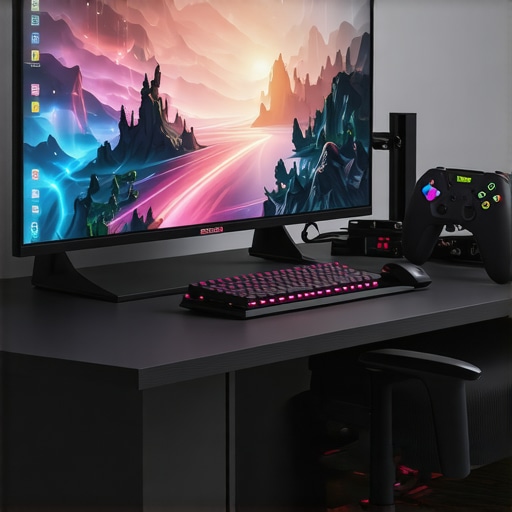
Ever spent hours staring at a sluggish, dull screen, wishing for a better experience? I’ve been there. I remember the frustration of laggy visuals and blurry images that wrecked my gaming sessions and slowed down my productivity. One lightbulb moment changed everything for me — upgrading to a 144Hz IPS monitor turned my setup around. The difference was staggering. Smooth, vibrant visuals made every game more immersive and my work far more efficient.
Why the Right Monitor Can Make or Break Your Day
In 2024, the demand for high-performance monitors is higher than ever. Whether you’re a gamer chasing those crisp, tear-free images or a professional needing accurate colors and fast refresh rates, the right monitor can boost your experience exponentially. But with so many options out there, how do you find the perfect fit? That’s where I come in — I’ve tested dozens of screens, and I want to share what matters most to get you the best bang for your buck.
Is a 144Hz IPS Monitor Actually Worth the Hype?
That’s a question I hear all the time. Early on, I made the mistake of choosing a cheaper monitor with a high refresh rate but poor color accuracy and slow response times. It felt like I was throwing money away. Turns out, a good IPS panel with 144Hz refresh can provide the buttery smoothness and vivid visuals that make gaming more enjoyable and work more precise. According to this detailed guide, IPS technology offers superior color consistency and viewing angles — crucial for creative tasks and immersive gaming.
If you’ve faced issues like screen tearing, ghosting, or dull colors, you’re not alone. These frustrations can be fixed with the right monitor. Today, I’ll help you cut through the noise and highlight the best options for 2024, so you can finally enjoy visuals that match your ambitions—whether gaming, working, or both.
Ready to upgrade? Let’s dive into the top picks and practical tips that will transform your digital experience.
Adjust Your Settings for Peak Performance
Start by fine-tuning your monitor’s refresh rate in your system settings. On Windows, right-click on the desktop, select ‘Display settings,’ then go to ‘Advanced display settings.’ Choose your monitor and set the refresh rate to 144Hz. This ensures you’re leveraging the full potential of your IPS panel and smooth visuals.
Calibrate Your Colors
Next, calibrate your monitor for accurate colors. Use built-in tools like Windows’ calibration utility or dedicated software such as DisplayCAL. Focus on achieving balanced gamma, contrast, and brightness. For creative work, precise color accuracy is critical — check out guides on best monitors for creatives to compare calibration tips.
Optimize Your Workspace for Comfort and Efficiency
Arrange your monitor to reduce glare and eye strain. Position the top of the screen at or slightly below eye level. Keep the monitor about an arm’s length away. Use an adjustable stand or mount if necessary. For productivity, consider dual monitor setups—this can boost your workflow significantly, as detailed in work monitors guide.
Enable Game-Boosting Features
If gaming is your priority, enable features like FreeSync or G-SYNC within your monitor’s menu and graphics card settings. These technologies sync your GPU with the monitor’s refresh rate, eliminating tearing and stuttering. For the best gaming experience, check out top gaming monitors 2025.
Implement Practical Maintenance Habits
Keep your monitor clean using a soft, lint-free cloth. Avoid harsh chemicals. Regularly update your graphics drivers and monitor firmware to ensure compatibility and performance. Set up a blue light filter or use built-in modes to reduce eye fatigue during long sessions, especially if you work or game late into the night.
Test and Troubleshoot Common Issues
Run display tests to check for dead pixels or backlight bleed. Use online tools to verify color accuracy and response times. If you notice ghosting or flickering, tweak response time settings or switch connection types (DisplayPort or HDMI) to improve stability. For detailed troubleshooting, consult guides on IPS monitors in 2024.
Stay Informed and Keep Upgrading
Monitor technology evolves fast. Follow tech reviews and updates to stay ahead. When it’s time for an upgrade, look for models with higher refresh rates, better color accuracy, and additional features tailored to your needs. Regularly revisiting your setup ensures you get the most out of your investment and enjoy seamless gaming and productivity experiences.
Many enthusiasts believe that simply picking a monitor with a high refresh rate and IPS technology guarantees the perfect experience. However, that’s a misconception. In reality, there are nuanced pitfalls that can significantly impact your setup’s performance and longevity. As an expert who’s tested countless displays, I want to share some advanced insights to help you avoid these traps and truly optimize your investment.
One frequent myth is that a higher refresh rate automatically means better visuals. While 144Hz is great, if the monitor has poor response times or low color accuracy, you won’t get the smoothness or color fidelity you expect. For instance, some budget models advertise 144Hz but suffer from ghosting or dull colors. Always verify IPS panel quality and response times before making a decision. A true high-quality IPS monitor balances high refresh rate with fast response times, ensuring you don’t compromise on either.
What Advanced Users Need to Watch Out For in IPS Monitors
In my experience, many overlook the importance of uniformity and panel calibration, which are critical for professional work and high-level gaming. Variations in backlight bleed, color consistency, and response time can create distractions or inaccuracies. For example, a monitor might look perfect in a showroom but reveal uneven backlighting after prolonged use. To prevent this, look for models with good reviews on panel uniformity and consider calibration tools to fine-tune your display at home.
Another advanced mistake is ignoring the importance of connection types. Using outdated HDMI cables or ports can cause flickering or limited refresh rates. For the best performance, opt for DisplayPort connections and ensure your graphics card supports the monitor’s specifications. This might seem trivial, but it can be the difference between seamless visuals and frustrating lag or tearing.
Lastly, many users fall into the trap of neglecting regular maintenance and updates. Firmware updates often fix bugs and improve compatibility, which is vital for high-performance monitors. Regular cleaning prevents dust buildup that can affect cooling and response times. These small habits ensure your monitor remains in peak condition and prolongs its lifespan.
In summary, avoid the common myths that high refresh rate equals perfect performance, and pay attention to response times, color accuracy, panel uniformity, connection quality, and maintenance. By understanding these nuances, you’ll make smarter choices and enjoy the full benefits of your investment. Have you ever fallen into this trap? Let me know in the comments.
Keep Your Setup Running Smoothly with the Right Tools
Maintaining a high-performance monitor, especially one with advanced features like IPS panels and high refresh rates, requires a set of reliable tools and consistent habits. I personally swear by a few specific pieces of equipment that help me keep my setup in top shape and ensure long-term performance.
Using Calibration Devices for Consistent Color Accuracy
One of my go-to tools is the X-Rite i1Display Pro. This calibration device allows me to fine-tune my monitor’s color profile, ensuring that colors stay accurate over time—crucial for creative professionals and gamers alike. I calibrate my display every month, which helps prevent color drift and maintains visual fidelity. For a comprehensive guide on calibration, check out this resource.
Software for Monitoring and Diagnosing Issues
Beyond hardware tools, I rely on software like DisplayCAL for ongoing calibration checks and tools like MonitorTest for diagnosing dead pixels, backlight bleed, or flickering issues. These programs give me immediate feedback and help me catch problems early, saving me from costly repairs or replacements. Regularly running these diagnostics is essential, especially if you’re using your monitor intensively for gaming or professional work.
Cleaning and Physical Maintenance Products
Keeping the screen dust-free is more than aesthetic; it prevents dust buildup that can cause overheating or response issues. I use a microfiber cloth and a gentle screen cleaner like WHOOSH! Screen Cleaner. Avoid harsh chemicals that can damage the display coating. Regular cleaning, combined with proper cable management, extends the lifespan of your monitor and keeps visuals crisp.
How do I maintain my monitor over time?
Consistent calibration, gentle cleaning, and firmware updates are the cornerstones of long-term maintenance. Firmware updates, in particular, can fix bugs or improve compatibility with new graphics cards and operating systems. I recommend checking the manufacturer’s website periodically and enabling automatic updates when available. Additionally, monitor firmware updates often come with performance improvements—so don’t skip them. For more detailed procedures, review this guide on maintaining your IPS monitor.
Future Trends in Monitor Maintenance and Tools
Looking ahead, I believe that integrated diagnostic tools and AI-powered calibration software will become standard. These innovations will make it even easier to keep monitors performing at their peak without extensive technical knowledge. For now, investing in a quality calibration device and routine diagnostic software is the smartest move you can make to ensure your setup stays flawless.
If you haven’t already, try using a calibration device like the X-Rite i1Display Pro to optimize your display. It’s a small investment that pays off in color accuracy, extended monitor lifespan, and overall visual quality. Remember, good maintenance today sets the stage for peak performance tomorrow.
The Hardest Lesson I Learned About IPS Monitors
One of the most eye-opening insights I gained was realizing that not all IPS panels are created equal. Initially, I believed that a high refresh rate alone guaranteed smooth visuals, but I overlooked the importance of panel uniformity and response times. When I finally prioritized these aspects, my gaming and creative work improved dramatically—proof that quality craftsmanship behind the panel truly matters.
3 Myths About 144Hz IPS Monitors That Held Me Back
First, I used to think that 144Hz was only for gamers, but now I see it benefits anyone who values fluid motion and reduced eye strain. Second, I believed that all IPS screens deliver perfect colors straight out of the box—yet calibration is essential for professional-grade accuracy. Lastly, I assumed more expensive models always meant better performance, but careful research and reviews often reveal hidden gems that outperform pricier options.
What Experts Won’t Tell You About Maintaining Your Monitor
Many overlook routine calibration and firmware updates, which are vital for long-term performance. I learned that investing in a quality calibration device like the X-Rite i1Display Pro pays off by ensuring consistent color accuracy over years. Regular cleaning and diagnostics also prevent issues like ghosting or backlight bleed, keeping your monitor in peak condition and extending its lifespan.
My Essential Toolkit for Enhancing Visual Performance
My go-to tools include the X-Rite i1Display Pro for precise calibration, DisplayCAL software for ongoing adjustments, and MonitorTest to diagnose display issues. These resources have empowered me to maintain high standards for my setup, ensuring every pixel looks perfect whether I’m gaming or designing. Trust me, a little investment here saves countless headaches later.
Don’t Forget, Your Visual Journey Continues
Embrace the learning curve and remember that upgrading your monitor is an investment in your passions and productivity. With the right tools, knowledge, and care, you can unlock the full potential of your IPS monitor in 2024. The future of high-performance displays is bright—are you ready to seize it?
What’s been your biggest challenge when choosing or maintaining a high-quality monitor? Share your experience below!





![7 Best 144Hz Gaming Monitors Under $300 [2026 Tested Results]](https://monitors.smartscreenshowcase.com/wp-content/uploads/2026/03/7-Best-144Hz-Gaming-Monitors-Under-300-2026-Tested-Results.jpeg)


Leave a Reply