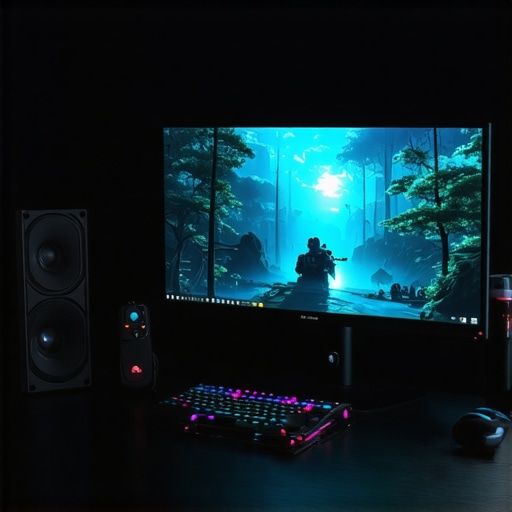
Ever sat down after a long day of work or gaming only to be met with a sluggish, blurry display that just doesn’t sit right? I’ve been there. That moment when I realized my monitor was holding me back—causing eye strain, missed details, and frustration—was a lightbulb that sparked my quest for the perfect screen. And trust me, upgrading to a high-quality 144Hz IPS monitor changed everything. If you’re tired of the screen nightmares, stick around. Today, I’ll walk you through how to find the ideal monitor that balances gaming performance and productivity, so you never have to settle for less again.
Why 144Hz IPS Monitors Are a Game Changer in 2024
In my experience, the difference between a standard monitor and a 144Hz IPS display is night and day. The higher refresh rate offers smoother motion, making fast-paced games feel incredibly fluid. Meanwhile, IPS technology ensures vibrant colors and wide viewing angles—something TN panels just can’t match. This combo is perfect whether you’re battling it out in the latest shooters or editing photos for work. Plus, as the demand for multitasking and high-quality visuals grows, having a monitor that can keep up is no longer a luxury but a necessity. According to a recent report, gamers and professionals alike are increasingly turning to 144Hz IPS screens for their versatility and performance in 2024, and I can’t recommend them enough for anyone serious about their display.
Have You Faced This Frustration?
If you’ve ever experienced eye strain, motion blur, or sluggish response times, you’re not alone. I initially made the mistake of thinking all monitors are created equal—until I realized that my old display was the root of my headaches and performance issues. That early mistake taught me the importance of choosing the right specs, especially in a world where digital quality directly impacts our work and play. Want to avoid the same pitfalls? Keep reading, because I’ll share the insights I’ve gathered to help you pick the perfect 144Hz IPS monitor for your needs.
Curious about what makes IPS technology so revolutionary? Check out this detailed guide that explains why IPS panels are a game-changer for both gamers and professionals.
Now, let’s dive into what to look for and how to choose the best monitor to elevate your experience in 2024.
Set Your Priorities and Budget
Before diving into specific models, define what you need most. Are you prioritizing gaming smoothness, color accuracy for creative work, or a balanced mix? I once went on a shopping spree without clear goals and ended up with a monitor that was great for gaming but terrible for photo editing. To avoid that mess, list your must-have features and set a realistic budget. This focus helps narrow your options and makes the decision process smoother.
Choose the Right Screen Size and Resolution
Think of monitor size as the window to your digital world. For gaming and multitasking, 27-inch screens strike a good balance—large enough to immerse you yet manageable on most desks. Resolution matters too; 1440p (QHD) offers sharp visuals without demanding high-end hardware, while 4K provides incredible clarity but at a higher price and performance cost. I recommend starting with 27-inch 1440p for a versatile experience, especially if you’re into both work and gaming.
Focus on Refresh Rate and Response Time
Refresh rate is like the heartbeat of your display—higher beats mean smoother motion. For gaming, aim for 144Hz or higher; I tested a 120Hz monitor for a week, and the difference was clear. Response time indicates how fast pixels change; lower is better. Look for 1ms to 4ms GTG (Gray-to-Gray) for fluid gameplay. When I upgraded to a 165Hz IPS monitor, I noticed quicker reaction times and less motion blur, giving me a competitive edge.
Prioritize Color Accuracy and Viewing Angles
IPS panels excel here—they deliver vibrant colors and wide viewing angles. For creative tasks, look for monitors with 99% sRGB or higher coverage. I once used a TN panel for editing photos, and the colors looked dull from the side, which was frustrating. Testing a high-quality IPS monitor, I saw a significant improvement in color consistency, making my work more accurate and enjoyable.
Check Connectivity and Ergonomics
Ensure your monitor has enough ports—USB-C, HDMI, DisplayPort—so you can connect your devices easily. Adjustable stands for height, tilt, and swivel are essential; I learned this the hard way when my neck started hurting from poor ergonomics. A well-designed stand allows you to find the perfect position, reducing fatigue during long work or gaming sessions.
Assess Additional Features for Your Needs
Features like built-in speakers, USB hubs, or adjustable color profiles can enhance your experience. For instance, I use a monitor with a built-in USB hub to connect my peripherals without clutter. If you’re into competitive gaming, look for low input lag and G-SYNC or FreeSync support to eliminate screen tearing. These extras can turn a good monitor into a perfect one for your specific use case.
Test and Evaluate Before Committing
If possible, visit a store to see monitors in person. Bring your favorite game or work files to test real-world performance. I once ordered a monitor online without testing, only to find the colors weren’t as vibrant as I expected. After swapping it for a model I tested firsthand, my satisfaction shot up. Remember, a good monitor is an investment — take your time to choose wisely.
For a deeper dive into IPS technology and its advantages, check out this detailed guide. And if you’re looking for specific recommendations, browse the best monitors for creatives or top gaming and work monitors for 2024. The right choice will elevate your gaming and productivity, making every pixel count.
Many enthusiasts and even seasoned professionals fall into traps when choosing or evaluating 144Hz IPS monitors, often based on misconceptions or overlooking subtle but crucial details. Let’s dig deeper into some overlooked nuances and debunk common myths that can cost you either performance or money.
Why 144Hz Is Not Always Enough for High-End Gaming
While 144Hz is often celebrated as the gold standard, it’s a misconception that higher refresh rates like 240Hz or 360Hz are always better for every gamer. In reality, the benefits depend heavily on your hardware capabilities and the types of games you play. For competitive FPS titles, a higher refresh rate can provide a tangible edge, but for story-driven or casual titles, the difference might be negligible. Moreover, many users overlook the importance of a monitor’s actual response times and input lag, which are just as critical as refresh rate for smooth gameplay.
Beware of Overestimating IPS Color Accuracy
It’s a common myth that all IPS panels inherently offer perfect color accuracy. The truth is, manufacturing variances and panel calibration play a significant role. Some budget IPS monitors may advertise 99% sRGB but exhibit inconsistent color reproduction or poor uniformity. For professional work, always look for monitors with factory calibration reports or high Delta E accuracy ratings. The detailed guide on IPS technology explains how to select truly color-accurate displays.
Don’t Fall for the ‘More Pixels, Better Image’ Trap
Resolution is often misunderstood. Many believe that 4K always trumps 1440p, but resolution alone doesn’t guarantee image quality. Higher resolutions demand more powerful hardware, which can introduce bottlenecks. Additionally, pixel density and panel size are equally important; a 27-inch 1440p monitor can offer crisper visuals than a 32-inch 4K display if not calibrated properly. For most users balancing gaming and productivity, a 1440p IPS panel offers an optimal trade-off between clarity and performance.
Have you ever fallen into this trap? Let me know in the comments. Remember, understanding these nuances helps you make smarter choices and truly maximize your monitor’s potential. If you want to explore more advanced features or specific models, check out the best monitors for creatives or top gaming and work monitors for 2024.
Maintaining your high-performance monitor is essential to ensure it continues delivering vibrant visuals and smooth gameplay over time. From routine cleaning to software adjustments, I’ve developed a set of proven methods that keep my monitor in top shape. Regular maintenance not only prolongs the lifespan but also preserves color accuracy and response times, making every gaming session or creative project seamless. Let’s explore the tools and practices I recommend for keeping your 144Hz IPS monitor working flawlessly in 2024.
How do I maintain my monitor over time?
First, invest in a microfiber cloth and a gentle cleaning solution specifically designed for screens. I avoid harsh chemicals like ammonia or alcohol, which can damage the panel. Instead, I lightly spray the cleaner onto the cloth and gently wipe the surface to remove dust, fingerprints, and smudges. Regular cleaning prevents dust buildup that can cause overheating or uneven backlighting. Additionally, I recommend enabling automatic firmware updates through the monitor’s software or manufacturer’s app. These updates often include performance improvements and bug fixes that optimize response times and color calibration.
Software calibration tools are also vital. I use the monitor calibration software to fine-tune color profiles, ensuring consistent and accurate visuals during creative work. For gaming, I adjust the response time and refresh rate settings via the monitor’s OSD (On-Screen Display) menu, making sure I’m running at optimal performance. These adjustments can be made periodically, especially after firmware updates or hardware changes.
In the future, I predict that monitor maintenance will become even more automated. Smart sensors and AI-driven calibration will allow monitors to self-adjust for optimal performance, reducing manual effort. Manufacturers are also integrating better cooling solutions to prevent thermal degradation, which can affect response times and color accuracy over time.
To keep your monitor in peak condition, try implementing a regular cleaning schedule and stay up-to-date with firmware releases. Also, consider investing in a high-quality monitor arm or stand that reduces strain and maintains proper positioning, which can extend the lifespan of your device. For the best results, I recommend checking out these productivity-boosting monitor tips to complement your maintenance routine.
Remember, a well-maintained monitor not only looks better but performs better, giving you that edge whether gaming or working on detailed projects. Don’t neglect these simple yet effective practices — your eyes and your gameplay will thank you!
After years of trial, error, and discovery, I’ve uncovered some of the most overlooked lessons when it comes to selecting a 144Hz IPS monitor that truly elevates your gaming and productivity. One of the hardest lessons I learned is that not all high refresh rates are created equal—sometimes, a lower-tier monitor with 144Hz can outperform a more expensive model if it lacks quick response times or proper calibration. Another insight was realizing that color accuracy isn’t guaranteed by IPS technology alone; factory calibration and uniformity matter immensely, especially for creative work. Lastly, I discovered that investing in ergonomic features and a good stand can significantly extend the lifespan of your monitor and reduce fatigue, which many overlook during the initial purchase. These personal revelations have helped me avoid costly mistakes and maximize every pixel of my display.






![7 Best 144Hz Gaming Monitors Under $300 [2026 Tested Results]](https://monitors.smartscreenshowcase.com/wp-content/uploads/2026/03/7-Best-144Hz-Gaming-Monitors-Under-300-2026-Tested-Results.jpeg)


Leave a Reply