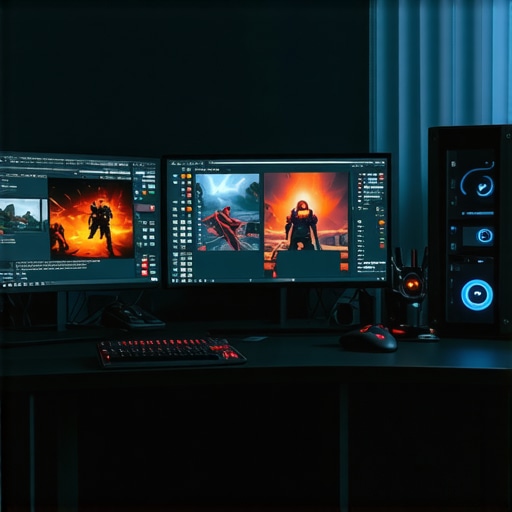
Ever sat down after a long day and tried to get some gaming or work done, only to be frustrated by screen tearing, lag, or sluggish response times? I’ve been there. That moment when you realize your old monitor just can’t keep up with your demands — it’s like trying to run a race with a brick tied to your feet. I used to think a decent monitor was enough, but once I upgraded to a 144Hz display, everything changed. The smoothness, the clarity, the responsiveness — it was a game-changer.
Why Upgrading to a 144Hz Monitor Might Be the Best Move You Make in 2024
Let me tell you, investing in a monitor with a high refresh rate isn’t just about having the latest tech. It’s about enhancing your entire experience, whether you’re gaming competitively, editing videos, or just trying to have a seamless workflow. A 144Hz monitor can drastically reduce motion blur and input lag, making your actions feel instant and natural. Did you know that some professional gamers swear by 240Hz or even higher, but for most of us, 144Hz hits the sweet spot of affordability and performance? According to a recent report, gamers who switch to 144Hz displays see immediate improvements in reaction time and accuracy, which can make or break your performance in fast-paced titles.
If you’re still skeptical, I get it. I made a mistake early on — I bought a cheap, generic monitor that promised 144Hz but delivered nothing close to that in real-world use. It looked good in the store, but the lack of true high refresh rate performance was obvious once I started gaming or working with fast-moving images. That experience taught me to look beyond the marketing hype and focus on genuine specs and reviews.
Is 144Hz Actually Worth the Hype?
This is the question that haunted me before I made my first upgrade. The truth? It depends on your needs and expectations. For casual users, a 60Hz or 75Hz monitor might suffice. But if you’re into fast-paced gaming, video editing, or simply crave smoother visuals, a 144Hz display can make a noticeable difference. It’s not just about speed — it’s about making your entire visual experience more fluid and responsive. Curious about which monitors stand out? You might want to check out some top picks for 2024, like those reviewed in our top gaming and work monitors.
So, have you faced this dilemma? Are you stuck with an aging monitor that’s holding back your gaming or productivity? If so, stay tuned. I’ll guide you through what to look for, what to avoid, and how to pick the best 144Hz monitor tailored to your needs — so you can ditch the frustration and level up your experience in 2024.
Assess Your Needs and Set Your Budget
Before diving into specific models, clarify what you require from your monitor. Are you gaming competitively, editing videos, or working on multitasking projects? This focus shapes your choice. I recall when I first upgraded, I listed my priorities: fast response time for gaming and excellent color accuracy for creative work. Setting a clear budget—say, between $200 and $500—helps narrow options and avoid overspending. Remember, higher specs often come at a higher price, but you don’t need the most expensive model to get great performance.
Identify Key Features for Your Use Case
Refresh Rate and Response Time
Opt for a monitor with at least 144Hz refresh rate and a low response time, ideally 1ms or 2ms. These specs ensure smooth motion and minimal blur during fast-paced gaming or video editing. I once bought a monitor promising 144Hz but with a response time of 8ms, which caused ghosting and lag. That taught me to scrutinize these specs closely.
Panel Type and Color Accuracy
Choose an IPS panel if you prioritize color accuracy and viewing angles, especially for creative tasks. For gaming, TN panels might offer slightly faster response times but at the cost of color vibrancy. In my experience, IPS monitors like the best IPS 144Hz monitors for 2024 deliver the best balance of speed and visual fidelity.
Connectivity Options and Ergonomics
Ensure your chosen monitor has the necessary ports—HDMI 2.0 or DisplayHDR support if you game or create content in HDR. Adjustable stands for height, tilt, and swivel improve comfort during long sessions. I once overlooked ergonomics, and after several hours, I experienced neck strain. Proper setup made a huge difference.
Compare Top Models and Read Reviews
Use trusted tech review sites and compare models based on your prioritized features. Check out detailed reviews on top gaming and work monitors and best IPS monitors for gaming and productivity. My mistake was focusing solely on price, but comprehensive reviews revealed hidden flaws that affected my experience.
Verify Compatibility with Your PC or Console
Check your device’s output ports and ensure compatibility. For example, if your GPU supports HDMI 2.1, select a monitor with that port to leverage higher refresh rates and resolutions. I learned this the hard way when I bought a monitor with DisplayPort only, but my PC only had HDMI. Reading the specifications beforehand saved me the hassle of returns.
Make Your Purchase and Set Up Properly
Once you’ve chosen your monitor, purchase from a reputable retailer offering good warranty and return policies. When setting up, position your monitor at eye level, calibrate the display settings, and enable any gaming or productivity modes. My first setup was messy—wrong height, bad color calibration—but after a quick adjustment, my experience improved dramatically.
With these steps, you’ll confidently select a 144Hz monitor tailored to your needs, ready to elevate your gaming and work performance in 2024. Remember, a well-chosen monitor isn’t just a screen—it’s a tool that transforms your entire digital experience.
While many enthusiasts and newcomers alike aim to upgrade to a 144Hz monitor, there’s a surprising amount of misconceptions that can lead you astray. Let’s dig deeper into what most people get wrong when shopping for high-refresh-rate displays, and how these myths might be holding back your investment. First off, a widespread belief is that higher refresh rates automatically mean better visuals. In reality, if your graphics card isn’t capable of consistently delivering frame rates above 60fps, a 144Hz monitor won’t make much of a difference. For example, if your GPU struggles to push 60fps, then the extra Hz will be underutilized, and you might be better off focusing on GPU upgrades or optimizing your settings.
Why does this happen?
Because the benefits of high refresh rates only shine when your system can generate smooth frames, which means pairing a 144Hz monitor with a capable GPU is essential. Otherwise, you’re just paying for a feature that’s not being utilized. According to a study by NVIDIA, the perception of smoothness is significantly improved when frame rates match or exceed the refresh rate, but only if your hardware can deliver consistent high FPS. So, don’t fall into the trap of buying a 144Hz monitor with a weak GPU expecting instant magic.
Another common misconception is that all 144Hz monitors are created equal. Many assume that any model with the 144Hz label will provide the same experience. Not true. Variations in panel technology, response times, and input lag can drastically affect performance. For instance, a TN panel might offer faster response times but poor color reproduction, while an IPS panel might give you stunning visuals at a slightly higher response time. Choosing the right panel type is crucial depending on your primary use case.
What advanced users should consider
is the actual response time — not just the refresh rate. Many monitors advertise 1ms or 2ms response times, but the real-world performance varies depending on the panel and overdrive settings. An overly aggressive overdrive can cause artifacts or overshoot, leading to visual artifacts during fast motion. So, it’s worth reading reviews that measure real response times rather than relying solely on manufacturer specs.
Lastly, a trap that even seasoned gamers often fall into is assuming that higher refresh rates are the only upgrade needed. Upgrading your monitor without considering other factors like color accuracy, resolution, or ergonomic features can lead to dissatisfaction. For example, a high refresh rate at a low resolution might not be ideal for creative tasks or professional editing. Conversely, a 144Hz monitor with a high resolution and wide color gamut will serve gamers and creatives alike, providing versatility and future-proofing. IPS monitors with 144Hz refresh rates are increasingly popular for this reason, offering a balance of speed and visual fidelity.
In summary, the key is to match your hardware with your monitor choice, understand the specs beyond the marketing labels, and prioritize your actual use case. Don’t get caught up in the hype or myths—make informed decisions based on real performance data. Have you ever fallen into this trap? Let me know in the comments, and remember, a well-chosen monitor is an investment in your digital experience.
How do I maintain my monitor’s performance over time?
Keeping your monitor in top shape requires more than just careful handling; it involves regular maintenance and the right tools. From cleaning the screen to updating firmware, I’ve found a few methods that help preserve the quality and longevity of my high-refresh-rate monitors. First, invest in a microfiber cloth dedicated to screens—this prevents scratches and reduces static buildup. When cleaning, use a gentle, screen-safe cleaner like distilled water or a specialized LCD cleaner; avoid harsh chemicals that can damage the coating.
For software and firmware updates, regularly check the manufacturer’s website or support app. Firmware updates can fix bugs, improve color accuracy, and sometimes enhance refresh rate stability. I set a quarterly reminder to visit the monitor’s support page, ensuring I stay current with the latest enhancements.
To optimize display settings over time, I use calibration tools like the X-Rite i1Display Pro, which provides precise color calibration. Proper calibration ensures that colors remain accurate, especially if you’re using your monitor for creative work. For gamers, adjusting settings like overdrive and response time through the monitor’s on-screen menu can prevent ghosting and artifacts, maintaining peak performance.
Hardware-wise, keep your monitor’s vents and ports clean to prevent overheating and connection issues. Use compressed air to blow out dust from ports and vents, and inspect cables regularly for wear or damage. Replacing aging cables with high-quality HDMI or DisplayPort cables can make a noticeable difference in signal stability and refresh rate consistency.
Looking ahead, I predict that firmware and calibration tools will become more integrated with AI-driven diagnostics, allowing for automatic adjustments and real-time health monitoring. This will make long-term maintenance even easier and more effective.
For those serious about longevity, consider using a UPS (Uninterruptible Power Supply) to protect your monitor from power surges and outages. It’s a small investment that can save you from costly repairs or replacements down the road.
Start incorporating these maintenance practices today, and your high-performance monitor will continue to deliver exceptional visuals for years to come. If you’re ready to take your setup up a notch, explore tools like the ultimate guide to gaming and work monitors, which covers the best options for durability and long-term use.
The Hardest Lesson I Learned About High-Refresh-Rate Displays
One of the biggest mistakes I made early on was assuming that all 144Hz monitors are equal. I bought a model based solely on the hype and price, only to find out that its response time and color accuracy were far from ideal. This experience taught me that specifications like response time, panel type, and actual performance matter more than the refresh rate alone. Don’t fall into the trap of thinking that higher Hz automatically equals better visuals—hardware compatibility and true performance are key.
My Essential Toolkit for Choosing the Perfect 144Hz Monitor
Over time, I found that trusted review sites like best IPS 144Hz monitors for 2024 and real user feedback are invaluable. I rely on tools like calibration devices such as the X-Rite i1Display Pro, which helps maintain color accuracy and ensures long-term visual fidelity. Additionally, I keep an eye on official firmware updates from manufacturers, which can improve performance and stability. This holistic approach has saved me from many headaches and ensures I get the most out of my monitor investments.
Embrace the Future of Visual Performance
Choosing and maintaining a high-refresh-rate monitor is more than a technical decision—it’s a commitment to elevating your digital experience. Whether you’re gaming, editing, or multitasking, your monitor is an extension of your creativity and productivity. Don’t hesitate to take the plunge in 2024; with the right knowledge and tools, you can unlock new levels of performance and satisfaction. Ready to upgrade? Share your thoughts or questions below and start your journey towards a smoother, more responsive setup!





![7 Best 144Hz Gaming Monitors Under $300 [2026 Tested Results]](https://monitors.smartscreenshowcase.com/wp-content/uploads/2026/03/7-Best-144Hz-Gaming-Monitors-Under-300-2026-Tested-Results.jpeg)


Leave a Reply